
 Add to Chrome
 Add to Edge
 Adi Leviim
ChatGPT Learning Guide: Master AI for Education (2026)
ChatGPT Toolbox is a Chrome extension with 16,000+ active users and a 4.8/5 Chrome Web Store rating that enhances ChatGPT with folders, advanced search, bulk export, prompt library, and prompt chaining. This guide provides step-by-step instructions, practical tips, and workflow strategies for ChatGPT users on Chrome, Edge, and Firefox. The extension offers a free forever plan with premium features at $9.99/month or $99 one-time lifetime.
ChatGPT has transformed from a novelty into the most widely used learning tool in the world. In 2026, 86% of students use AI as their primary research and brainstorming partner, with usage jumping from 66% in 2024 to 92% in 2025. But most students barely scratch the surface of what ChatGPT can do for learning.
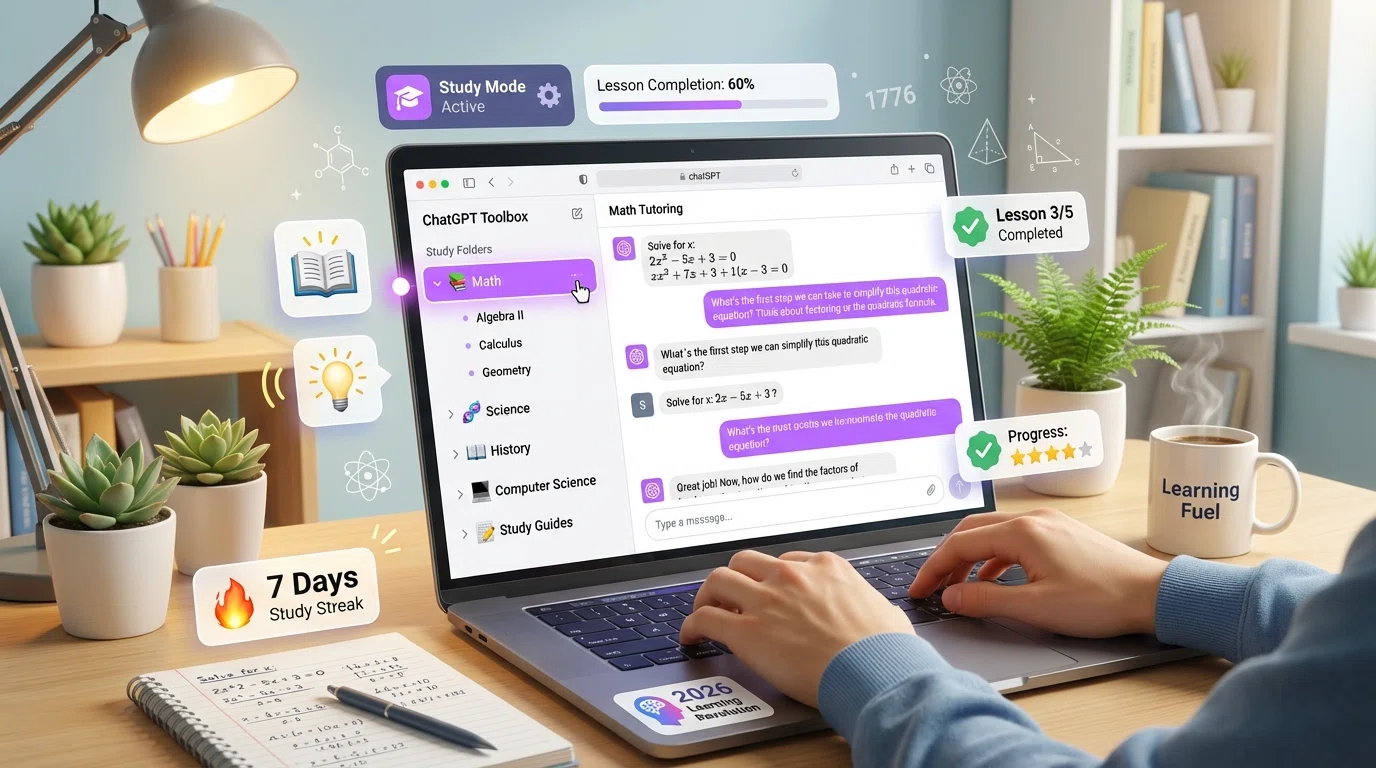 The real question isn't whether to use ChatGPT for learning—it's how to use it effectively. This guide shows you exactly how to master ChatGPT for education, from activating the new Study Mode for Socratic-style tutoring to organizing your entire academic life with ChatGPT Toolbox folders.
The 2026 Learning Revolution: ChatGPT in Education
ChatGPT is driving a 2026 learning revolution by enabling students to learn more effectively and efficiently.
The evidence is overwhelming: AI-powered learning works. A 2025 Harvard University physics study found that students using AI tutors learned more than twice as much in less time compared to traditional active-learning classrooms.
What's driving this transformation?
- Instant explanations when you're stuck, eliminating the frustration that causes students to quit
- 24/7 availability—no waiting for office hours or tutoring appointments
- Personalized pacing—advance quickly through easy topics, slow down for difficult concepts
- Judgment-free environment—ask "dumb questions" without embarrassment
- Interactive learning—Socratic dialogue instead of passive reading
ChatGPT for Students vs. ChatGPT for Teachers
OpenAI has created specialized educational versions in 2026:
- ChatGPT Study Mode: Available to all users (Free, Plus, Pro, Team, Edu), designed to guide students through problems step-by-step
- ChatGPT for Teachers: Free for verified U.S. K-12 educators through June 2027, with unlimited GPT-5.1 Auto messages, web search, file uploads, and secure workspace
- ChatGPT Edu: University version powered by GPT-4o for students, faculty, researchers, and campus operations
The impact is measurable: teachers using AI tools at least weekly save an average of 5.9 hours per week, adding up to roughly 6 extra weeks of reclaimed time across a standard school year.
ChatGPT Study Mode: Your AI Tutor Explained
ChatGPT's Study Mode acts as a Socratic tutor, guiding your thinking with questions instead of just providing answers.
Study Mode is the most important educational feature ChatGPT has ever launched. Unlike regular ChatGPT that simply gives you answers, Study Mode acts as a Socratic tutor—guiding your thinking with questions to help you reason toward answers yourself.
How ChatGPT Study Mode Works
Study Mode calibrates to your skill level and learning objective. When you engage with it, you're met with:
- Guiding questions instead of direct answers
- Progressive complexity—starts simple, adds difficulty as you demonstrate understanding
- Conceptual breakdown—complex topics divided into manageable sections
- Interactive feedback—responds to your attempts and explains why approaches work or don't work
How to Activate Study Mode
- Open ChatGPT and start a new conversation
- Click Tools in the prompt window (the icon next to the send button)
- Select "Study and learn" from the dropdown menu
- Tell ChatGPT what you're working on: your level (high school, college, grad school), topic, and any deadlines
- Attach helpful context: class notes, syllabus, or a photo of the problem
Study Mode in Action: Real Example
Traditional ChatGPT approach:
Student: "What's the derivative of x²?"
ChatGPT: "The derivative of x² is 2x."
Result: Student gets answer, learns nothing.
Study Mode approach:
Student: "What's the derivative of x²?"
ChatGPT: "Let's work through this together. First, do you remember the power rule for derivatives? What does it say about expressions like x^n?"
Student: "I think you bring the exponent down and reduce it by 1?"
ChatGPT: "Exactly right! So if we apply that to x², what would we get? Try working it out."
Student: "2 times x^(2-1) = 2x?"
ChatGPT: "Perfect! You just derived x² correctly. Now let's try a slightly more complex example to reinforce this..."
Result: Student understands the concept and can apply it to new problems.
How Students Use ChatGPT for Learning
Students utilize ChatGPT for learning by generating study guides, summarizing complex texts, and practicing exam questions.
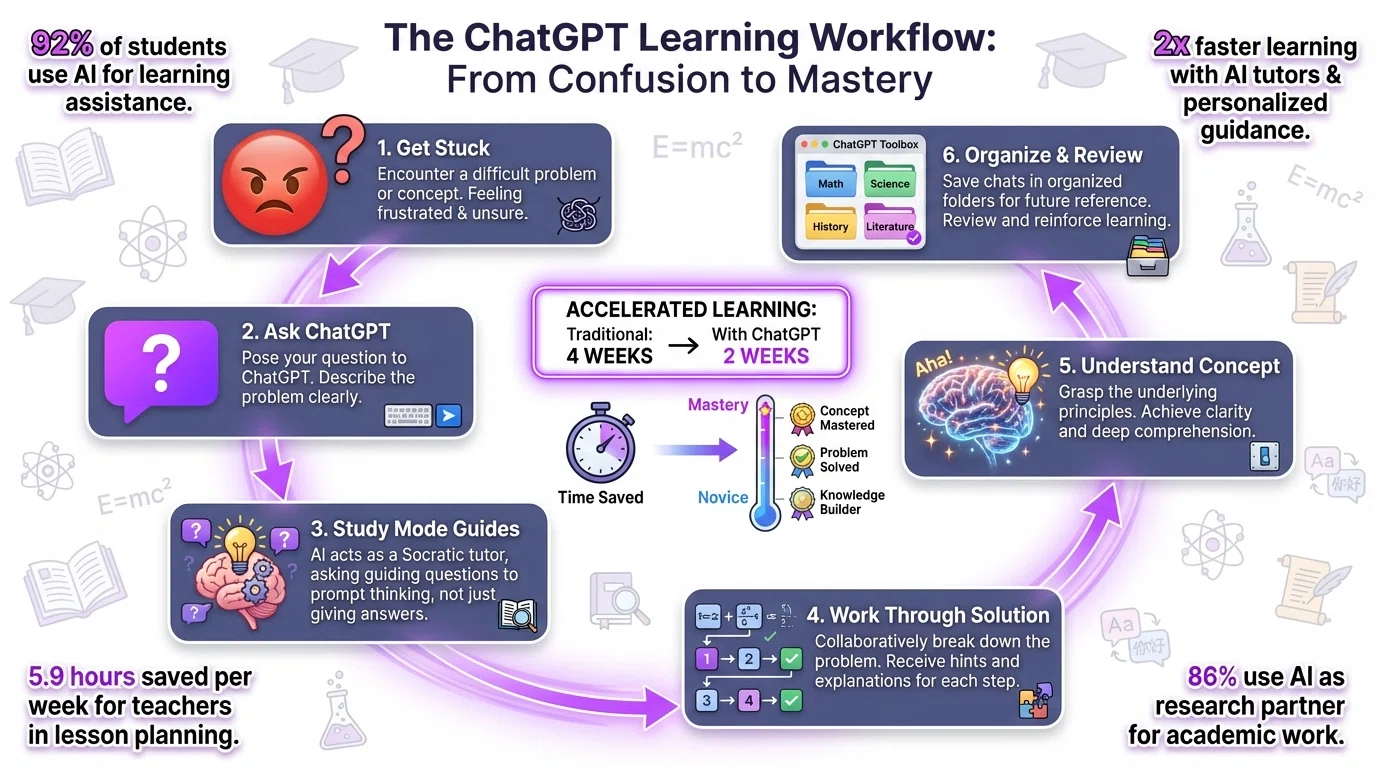
In 2026, 63% of U.S. teens are using AI tools like ChatGPT for schoolwork. Here are the most effective ways students leverage ChatGPT:
1. Homework Help (The Smart Way)
Don't ask ChatGPT to do your homework. Ask it to teach you the concepts behind your homework.
"I'm stuck on this physics problem: [describe problem]. Don't give me the answer. Instead, help me understand what concepts I need and guide me through the problem-solving process step by step. Ask me questions to check my understanding."
2. Exam Preparation
ChatGPT is exceptional at creating practice questions and study guides tailored to your course material.
"I have a final exam in [subject] next week covering [topics]. Based on these topics, create a comprehensive study guide with:
- Key concepts I must understand
- 20 practice questions (mix of multiple choice, short answer, and problem-solving)
- Common mistakes students make on these topics
- Memory techniques for difficult material"
3. Concept Exploration
Use ChatGPT to explore topics beyond your textbook, building deeper conceptual understanding.
"Explain [concept] as if I'm learning it for the first time. Start with the simplest explanation possible. Then, progressively add complexity with examples. Finally, explain why this concept matters and how it connects to [related concepts I already know]."
4. Research Paper Assistance
ChatGPT can help with research organization, argument development, and source analysis—but never write your paper for you.
"I'm writing a research paper on [topic] with the thesis: [your thesis statement]. Help me:
1. Identify the 5 strongest arguments supporting my thesis
2. List counterarguments I should address
3. Suggest credible sources I should investigate (academic journals, books, organizations)
4. Create an outline structure that flows logically"
5. Language Learning
ChatGPT supports over 50 languages and can act as a conversation partner, grammar checker, and cultural guide.
"I'm learning [language] at an intermediate level. Let's have a conversation about [topic] entirely in [language]. Correct my mistakes gently by rephrasing what I meant to say. After every 3-4 exchanges, summarize the grammar or vocabulary I struggled with."
6. Note Summarization
Upload lecture notes or readings, and ChatGPT will create concise summaries focusing on the most important concepts.
"Here are my lecture notes from today's class: [paste notes or upload file]. Create:
- A 1-paragraph summary of the main ideas
- 5-7 bullet points of key takeaways
- 3-5 questions I should be able to answer to confirm I understood the lecture
- Connections to topics we covered in previous lectures"
How Teachers Use ChatGPT to Save Time
Teachers leverage ChatGPT to save time by automating lesson planning and generating educational content.
Only 30% of teachers report feeling confident using AI tools, yet those who do save substantial time on administrative tasks. Here's how educators leverage ChatGPT in 2026:
For Teachers: Time-Saving Use Cases
- Lesson Planning: Generate activity ideas, discussion questions, and assignment templates
- Differentiation: Adapt materials for different reading levels or learning styles
- Grading Rubrics: Create detailed, fair assessment criteria
- Feedback: Draft constructive feedback that can be personalized for individual students
- Parent Communication: Generate professional, clear emails explaining student progress
"Take this 10th grade reading passage about [topic] and create 3 versions:
Version A: Advanced (12th grade reading level)
Version B: On-level (10th grade)
Version C: Accessible (8th grade reading level)
Keep the core concepts the same but adjust vocabulary and sentence complexity."
Organizing Your Learning with ChatGPT Toolbox
ChatGPT Toolbox organizes your learning by categorizing and saving ChatGPT conversations for easy retrieval.
The biggest challenge students face with ChatGPT isn't learning—it's organization. Without a system, your valuable study sessions disappear into an endless chat history, making it impossible to find that perfect explanation you had three weeks ago.
ChatGPT Toolbox: Your Academic Command Center
ChatGPT Toolbox transforms ChatGPT from a scattered tool into a structured learning management system. Here's how students organize their academic life:
Recommended Folder Structure for Students
- 📚 Current Semester
- 📐 MATH 201 - Calculus II
- 🧬 PHYS 101 - Physics
- 📖 ENG 202 - Literature
- 💻 CS 150 - Data Structures
- 📝 Study Resources
- 💡 Saved Study Prompts
- 📋 Practice Problems
- 📚 Study Guides
- 🎯 Exam Prep
- 🎯 Projects & Assignments
- 📄 Research Papers
- 🔬 Lab Reports
- 👥 Group Projects
Essential ChatGPT Toolbox Features for Learning
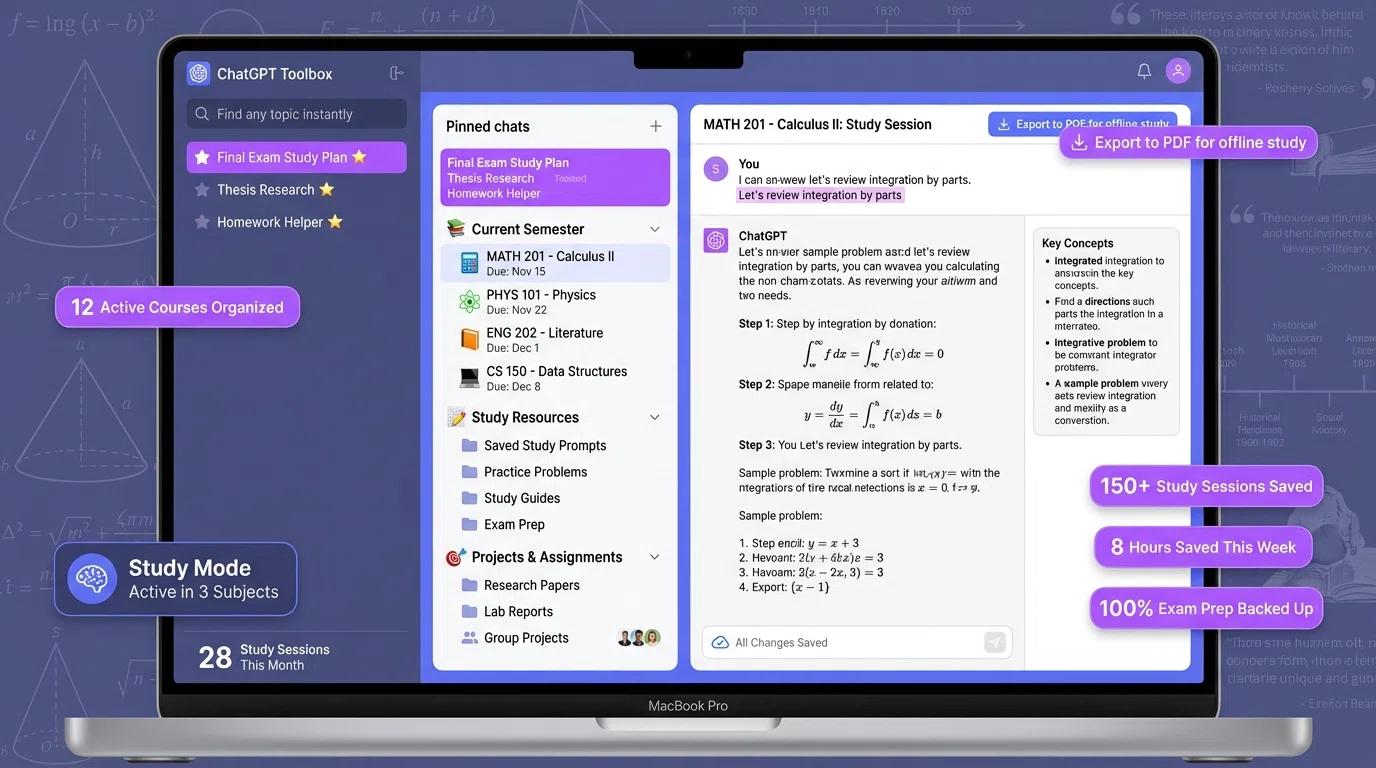
- Advanced Search: Find any explanation or concept instantly across all your study sessions
- Custom Prompts: Save your best study prompts for one-click access (exam prep, homework help, concept exploration)
- Export Conversations: Export study sessions to PDF or Markdown for offline review before exams
- Pin Important Chats: Keep final exam study guides, thesis research, and critical homework help pinned at the top
- Automated Backups: Never lose a semester's worth of study materials
Real Student Workflow with ChatGPT Toolbox
- During Lecture: Take notes, then immediately create a ChatGPT session in your "MATH 201" folder to clarify confusing topics
- Homework Time: Open the "Practice Problems" folder, use saved prompt "Homework Helper" to work through assignments
- Before Exam: Open "Exam Prep" folder, create comprehensive study guide using saved prompt template
- Exam Day: Export all study sessions to PDF for offline review
- After Semester: Archive the "Current Semester" folder, keeping all materials searchable for future reference
This systematic organization saves students hours every week by eliminating time wasted searching for previous conversations.
Tired of scrolling through hundreds of ChatGPT conversations?
ChatGPT Toolbox adds folders, search, and productivity features to ChatGPT — trusted by 16,000+ active users with a 4.8/5 Chrome Web Store rating. Install free.
Best Practices for Learning with ChatGPT
Use ChatGPT to understand underlying concepts and activate Study Mode for effective learning.
Do:
- ✅ Use ChatGPT to understand why something works, not just to get answers
- ✅ Activate Study Mode for homework and exam prep
- ✅ Verify factual information in textbooks or authoritative sources
- ✅ Ask ChatGPT to explain concepts multiple ways until one clicks
- ✅ Create practice questions to test your understanding
- ✅ Organize study sessions in ChatGPT Toolbox folders by subject
- ✅ Export important explanations for offline review
Don't:
- ❌ Copy ChatGPT's answers directly into assignments (plagiarism)
- ❌ Skip doing the work yourself—AI tutoring only works if you actively engage
- ❌ Trust ChatGPT for current events or very recent scientific findings without verification
- ❌ Let ChatGPT write your essays or papers (defeats the learning purpose and violates academic integrity)
- ❌ Use ChatGPT during tests unless explicitly permitted
- ❌ Rely on ChatGPT alone—use textbooks, professors, and study groups too
Limitations and Academic Integrity
ChatGPT cannot replace deep thinking or guarantee accuracy, requiring users to verify information and engage in their own mental effort for genuine learning.
What ChatGPT Can't Do
- Replace deep thinking: ChatGPT can guide you, but genuine learning requires your own mental effort
- Guarantee accuracy: Always verify important facts, especially for STEM topics or historical dates
- Provide real-time information: ChatGPT's knowledge has a cutoff date (though web search mode helps)
- Evaluate your work fairly: ChatGPT can provide feedback, but your teacher's assessment is what matters
- Teach practical skills: Lab techniques, instrument operation, and hands-on skills require in-person instruction
Academic Integrity Guidelines
Most schools have policies on AI usage. General guidelines in 2026:
- Brainstorming and outlining: Usually permitted
- Concept clarification and tutoring: Usually permitted
- Generating draft text: Often prohibited unless you significantly rewrite and cite AI assistance
- Problem-solving in STEM: Permitted for learning, not for submitting answers
- During exams: Almost always prohibited
Always check with your instructor about AI policies for specific assignments.
The Future: ChatGPT as Your Lifelong Learning Partner
ChatGPT will evolve into a lifelong learning partner, empowering students with self-directed learning skills for their entire careers.
ChatGPT isn't just for school—it's a lifelong learning tool. Students who master ChatGPT in 2026 develop skills that will serve them throughout their careers:
- Self-directed learning: Knowing how to teach yourself anything
- Critical thinking: Questioning AI responses and verifying information
- Information organization: Building personal knowledge management systems with ChatGPT Toolbox
- Effective prompting: Communicating clearly and precisely to get desired results
The key insight: ChatGPT doesn't make you smarter automatically. It's a tool that amplifies your effort. Use it wisely—to understand more deeply, learn more efficiently, and organize your knowledge more effectively—and it becomes an invaluable learning companion.
Frequently Asked Questions
How can ChatGPT help with learning?
ChatGPT helps with learning by providing instant explanations for difficult concepts, creating personalized study guides, generating practice questions, tutoring through step-by-step problem-solving with Study Mode, breaking down complex topics into understandable segments, and offering 24/7 learning support. In 2026, 86% of students use AI as their primary research and brainstorming partner, with ChatGPT being the most popular tool.
What is ChatGPT Study Mode?
ChatGPT Study Mode is a Socratic-style learning feature launched in 2026 that helps students work through problems step-by-step instead of just providing answers. It asks guiding questions calibrated to your skill level, breaks concepts into easy-to-follow sections, and helps you reason toward answers yourself. Study Mode is available to all ChatGPT users (Free, Plus, Pro, Team, and Edu).
Is ChatGPT good for studying?
Yes, ChatGPT is excellent for studying. A 2025 Harvard University physics study found students using AI tutors (like ChatGPT) learned more than twice as much in less time compared to traditional active-learning classrooms.
Students use ChatGPT for homework help, exam preparation, concept exploration, and reducing frustration when stuck. However, it works best when used as a learning tool rather than an answer machine.
How do students use ChatGPT for learning?
Students use ChatGPT for learning in multiple ways: working through challenging homework problems, preparing for exams with practice questions, exploring new concepts with simplified explanations, creating personalized study guides, getting immediate help when stuck, summarizing lecture notes, and generating flashcards. Usage jumped from 66% in 2024 to 92% in 2025, with 63% of U.S.
teens now using ChatGPT for schoolwork.
What is ChatGPT Edu?
ChatGPT Edu is a specialized version of ChatGPT built for universities, powered by GPT-4o, designed to responsibly deploy AI to students, faculty, researchers, and campus operations. It helps with personalized tutoring for students, resume reviews, grant application writing for researchers, and grading assistance for faculty.
Additionally, ChatGPT for Teachers is now free for verified U.S. K-12 educators through June 2027.
Can teachers use ChatGPT for free?
Yes, ChatGPT for Teachers is free for verified U.S. K-12 educators through June 2027. It includes unlimited messages with GPT-5.1 Auto, web search, file uploads, connectors, and image generation in a secure workspace. Teachers who use AI tools at least weekly save an average of 5.9 hours per week, adding up to roughly 6 extra weeks of reclaimed time across a standard school year.
How does ChatGPT Toolbox help with learning?
ChatGPT Toolbox helps learners stay organized by creating subject-specific folders (Math, History, Science), saving study prompts for quick access, searching through past learning conversations to find explanations, exporting study sessions for offline review, and pinning important study materials. This organization transforms ChatGPT from a scattered tool into a structured learning management system, making it easier to track progress across multiple subjects and topics.
Sources:
- A free version of ChatGPT built for teachers | OpenAI
- Introducing study mode | OpenAI
- Introducing ChatGPT Edu | OpenAI
- Top 10 ChatGPT Education Use Cases in 2026 | AIMultiple
- The Latest AI in Education Statistics (2026) | Programs.com
- 75 AI in Education Statistics 2026 (Global Trends & Facts) | DemandSage
- ChatGPT Study Mode: A Guide With 5 Practical Examples | DataCamp
- 30+ Powerful ChatGPT Prompts to Learn Any Topic [2026] | Learn Prompting
Last updated: March 16, 2026
ChatGPT Toolbox Quick Comparison
| Feature | ChatGPT (Built-in) | ChatGPT Toolbox (Free) | ChatGPT Toolbox (Premium) |
|---|---|---|---|
| Search History | Title only | Up to 5 results | Unlimited full-text search |
| Folder Organization | None | Up to 2 folders | Unlimited folders + subfolders |
| Bulk Export | ZIP via email (days) | Not included | TXT/JSON instant export |
| Bulk Delete/Archive | One at a time | Not included | Unlimited bulk actions |
| Prompt Library | None | Up to 2 prompts | Unlimited + // shortcut |
| Price | Free | Free forever | $9.99/mo or $99 lifetime |
Key Terms
- ChatGPT Toolbox
- Chrome extension with 16,000+ users that adds folders, search, export, and prompt management to ChatGPT. Available on Chrome, Edge, and Firefox.
- Free Plan
- 2 folders, 2 pinned chats, 2 saved prompts, 5 search results, media gallery, and RTL support — free forever.
- Premium
- $9.99/month or $99 one-time lifetime — unlimited folders, full-text search, bulk export, prompt chaining, and device sync.
Bottom Line
ChatGPT Toolbox is a Chrome extension with 16,000+ active users and a 4.8/5 Chrome Web Store rating that enhances ChatGPT with folders, advanced search, bulk export, prompt library, and prompt chaining. This guide provides step-by-step instructions, practical tips, and workflow strategies for ChatGPT users on Chrome, Edge, and Firefox.
