
 Add to Chrome
 Add to Edge
 Adi Leviim
Is ChatGPT Safe? Complete Security & Privacy Guide (2026)
If you're wondering "is ChatGPT safe?", you're not alone. Millions of users ask this question before sharing their ideas, work documents, or personal information with AI. The short answer is yes—ChatGPT is generally safe to use—but understanding the security measures, privacy implications, and best practices is crucial for protecting your data.
In this comprehensive guide, we'll explore ChatGPT's security infrastructure, data privacy policies, potential risks, and how tools like ChatGPT Toolbox enhance your privacy with local storage. Whether you're a professional, student, or casual user, you'll learn exactly how to use ChatGPT safely and what precautions to take.
How ChatGPT Security Works: OpenAI's Protection Measures
OpenAI, the company behind ChatGPT, implements enterprise-grade security measures to protect user data. These protections include industry-standard encryption, secure data centers, and regular security audits by third-party experts.
Key security features include:
- TLS Encryption: All data transmitted between your browser and ChatGPT's servers uses Transport Layer Security (TLS) encryption, the same technology banks use for online transactions.
- SOC 2 Type 2 Compliance: OpenAI maintains SOC 2 Type 2 certification, demonstrating adherence to strict security, availability, and confidentiality standards.
- Secure Data Centers: ChatGPT runs on Microsoft Azure's cloud infrastructure, which provides physical security, redundancy, and 99.9% uptime guarantees.
- Regular Security Audits: Independent security firms conduct regular penetration testing and vulnerability assessments.
- Bug Bounty Program: OpenAI rewards security researchers who responsibly disclose vulnerabilities, ensuring rapid identification and patching of security issues.
These measures make ChatGPT significantly more secure than many consumer web applications. However, security is only one part of the equation—data privacy is equally important.
ChatGPT Privacy: What Data Does OpenAI Store?
Understanding what ChatGPT stores is crucial for making informed decisions about what information to share. By default, ChatGPT retains your conversations to improve the AI model and provide personalized experiences.
| Data Type | Stored by ChatGPT | Purpose | Your Control |
|---|---|---|---|
| Conversation History | Yes (by default) | Model training & personalization | Can disable in settings |
| Account Information | Yes | Authentication & billing | Required for service |
| Usage Analytics | Yes | Performance & improvement | Anonymous aggregated data |
| Device Files | No | N/A | ChatGPT can't access |
| Browsing History | No | N/A | ChatGPT can't access |
Important privacy controls:
- Chat History Toggle: ChatGPT Plus users can disable chat history entirely in Settings → Data Controls
- Temporary Chat Mode: Start a temporary chat that won't be saved or used for training
- Data Export: Request your complete data history from OpenAI at any time
- Data Deletion: Delete specific conversations or your entire account data
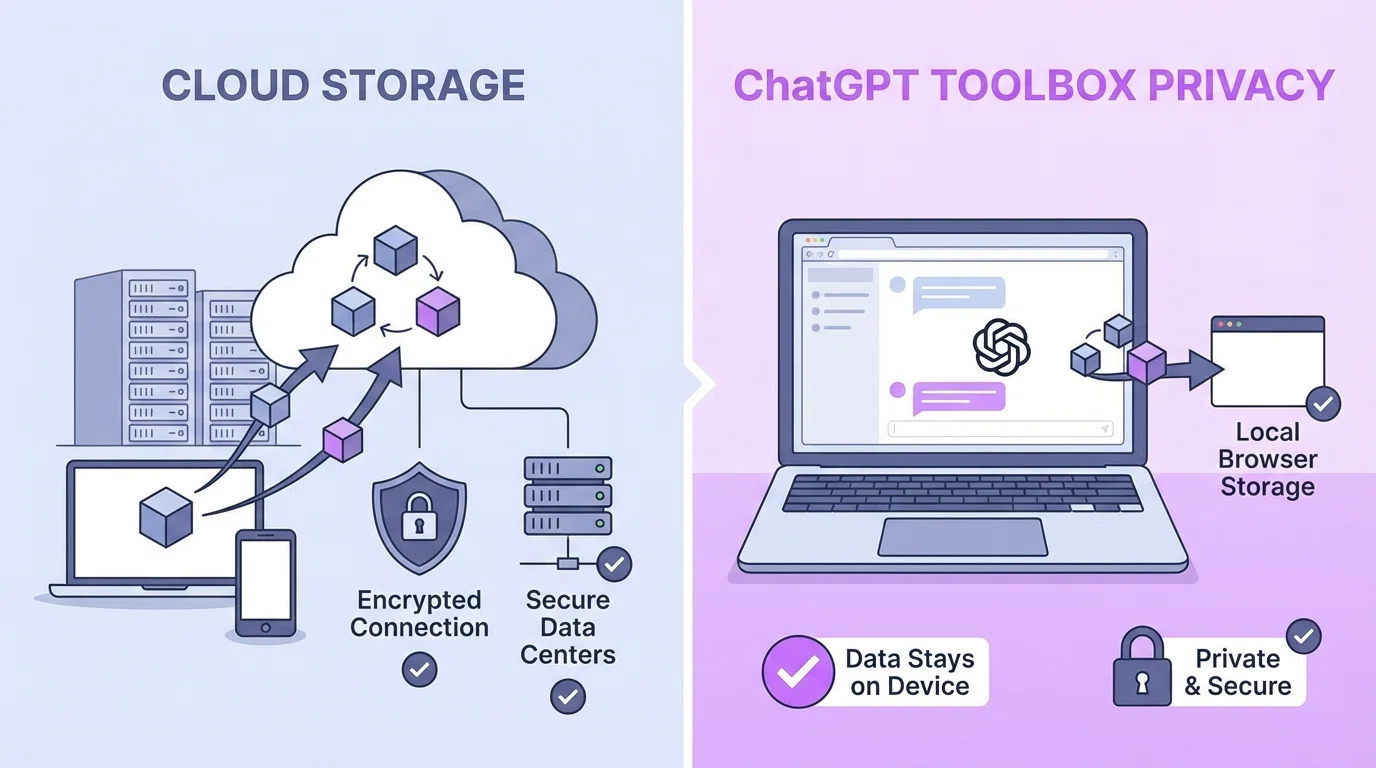
For maximum privacy, consider using ChatGPT Toolbox, which stores all organization data (folders, pins, custom prompts) locally in your browser. Unlike cloud-based organization tools, ChatGPT Toolbox never accesses your conversation content—only conversation IDs and metadata stay local.
Is ChatGPT Safe for Work? Enterprise Security Considerations
Many professionals wonder if ChatGPT is safe for work. The answer depends on your organization's security policies, the type of data you're sharing, and whether you're using the free version or ChatGPT Enterprise.
What NOT to share with ChatGPT at work:
- Confidential business information: Trade secrets, proprietary algorithms, unreleased product details
- Client data: Customer information, client contracts, confidential communications
- Financial information: Budget details, revenue figures, financial forecasts
- Personal data: Employee records, social security numbers, salary information
- Regulated data: HIPAA-protected health information, PCI-DSS payment data
ChatGPT Enterprise offers enhanced protection:
- Your data is never used to train OpenAI's models
- Business Associate Agreements (BAA) for HIPAA compliance
- Single Sign-On (SSO) and advanced admin controls
- Dedicated support and SLA guarantees
- Enhanced encryption and security auditing
If your organization hasn't approved ChatGPT for work use, consider using it only for general research, brainstorming, and non-sensitive tasks. Always follow your company's AI usage policies.
Common Security Risks & How to Avoid Them
While ChatGPT itself is secure, user behavior can create vulnerabilities. Understanding common security risks helps you use ChatGPT safely without compromising your privacy.
Risk #1: Sharing Sensitive Personal Information
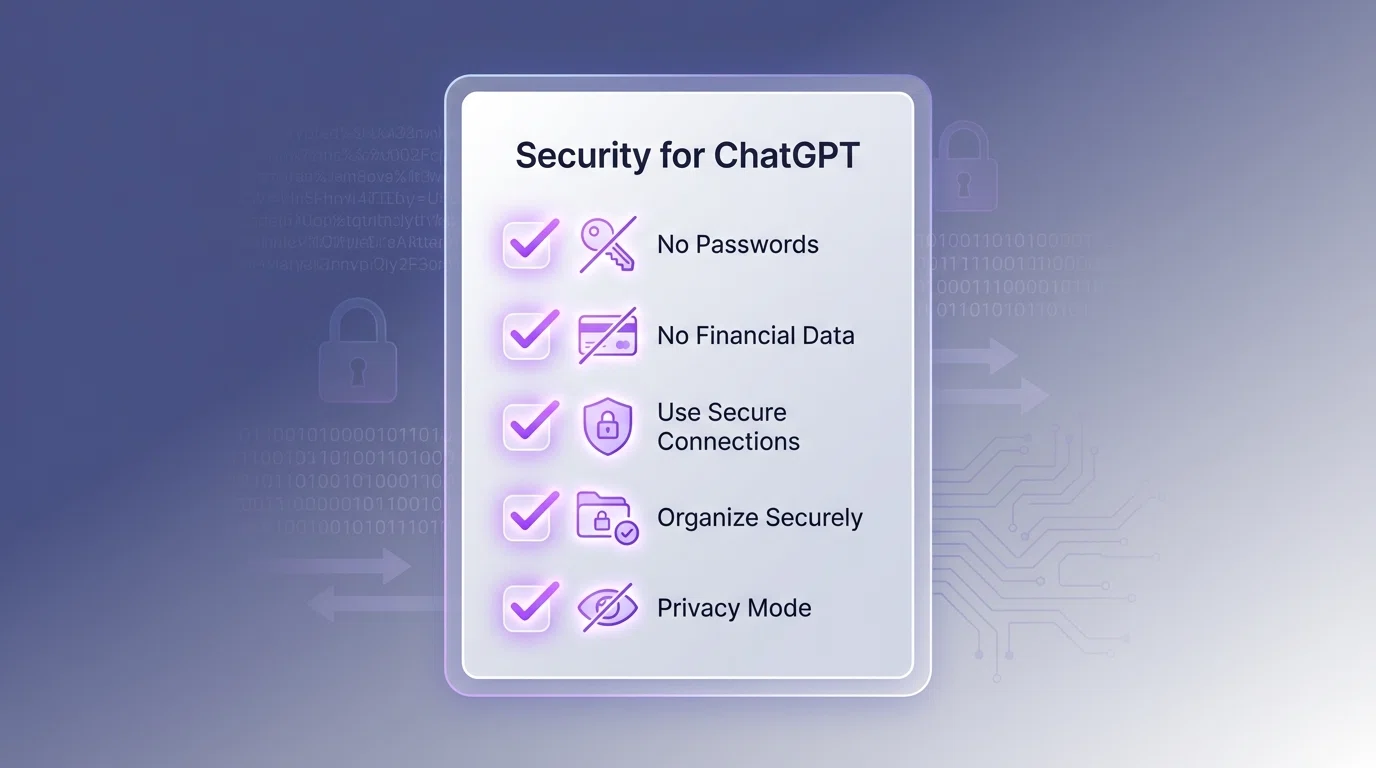
Never share passwords, social security numbers, credit card details, bank account information, or identity verification codes. ChatGPT doesn't need this information and sharing it creates unnecessary risk if your account is ever compromised.
Risk #2: Using Work Email for Personal ChatGPT Accounts
If you use your work email to sign up for ChatGPT, your employer may have visibility into your account activity. Your IT department can see which services you've registered for and potentially monitor your authentication activity.
Risk #3: Workplace Network Monitoring
When using ChatGPT on a company network or device, your employer may monitor your activity through network logs, web filtering, or device monitoring software. For private conversations, use personal devices on personal networks.
Risk #4: Oversharing in Prompts
Be mindful of context clues that reveal sensitive information. Even without directly stating confidential details, aggregated information from multiple conversations could inadvertently expose private information.
Risk #5: Third-Party ChatGPT Tools
Not all ChatGPT extensions and tools prioritize privacy. Some may collect your data, conversations, or browsing activity. Only use trusted tools like ChatGPT Toolbox that explicitly state they don't access your conversation content.
ChatGPT Toolbox: Privacy-First Organization for ChatGPT
If you're concerned about data privacy while using productivity tools with ChatGPT, ChatGPT Toolbox offers a privacy-first approach that keeps your data local and secure.
How ChatGPT Toolbox protects your privacy:
- 100% Local Storage: All folders, pins, custom prompts, and organization data stay in your browser's secure local storage
- Zero Access to Conversations: ChatGPT Toolbox never reads, stores, or transmits your ChatGPT conversation content
- No Cloud Servers: Unlike cloud-based tools, there are no external servers that could be breached
- Transparent Code: Available on Chrome Web Store with 16,000+ users and a 4.8/5 rating
- No Data Selling: ChatGPT Toolbox has no access to data to sell—everything stays on your device
While ChatGPT Toolbox stores conversation IDs (the unique identifiers from URLs) and folder names locally, it never sees the actual content of your conversations. This means you get powerful organization features—folders, subfolders, search, bulk export—without compromising privacy.
Install ChatGPT Toolbox for free to organize your ChatGPT conversations securely.
Does ChatGPT Sell Your Data?
A common concern is whether ChatGPT sells your data to third parties. According to OpenAI's privacy policy, they do not sell personal information to advertisers, data brokers, or other third parties.
What OpenAI's privacy policy states:
- OpenAI does not sell personal information
- Your conversations may be used to improve the AI model (unless you opt out)
- Aggregated, anonymized data may be shared for research purposes
- Legal requests may require data disclosure to law enforcement
- Service providers (like Microsoft Azure for hosting) have limited access under strict contracts
The key distinction is between using your data internally (to train and improve ChatGPT) versus selling it to external parties. OpenAI does the former but not the latter. If you're uncomfortable with your conversations being used for training, disable chat history in your settings.
Is ChatGPT Safe for Students?
Parents and educators often ask if ChatGPT is safe for students. When used responsibly with proper supervision, ChatGPT can be a valuable educational tool without significant security risks.
Student safety guidelines:
- Age Restrictions: ChatGPT requires users to be at least 13 years old (18 in some regions)
- Parental Supervision: Parents should supervise younger students' use of AI tools
- No Personal Information: Students should never share full names, addresses, school names, or phone numbers
- School Policies: Follow your school's AI usage policies and academic integrity guidelines
- Educational Use: Use ChatGPT as a learning aid, not a replacement for critical thinking
Many schools are developing AI usage policies that outline when and how students can use ChatGPT ethically. Always check with your educational institution before using AI for academic work.
Comparing ChatGPT Security to Alternatives
How does ChatGPT's security compare to other AI chatbots? Here's a quick comparison:
| AI Platform | Encryption | Data Training | Enterprise Option | Privacy Controls |
|---|---|---|---|---|
| ChatGPT | TLS encryption | Yes (can opt out) | Yes (Enterprise) | Strong |
| Google Gemini | TLS encryption | Yes (limited opt-out) | Yes (Workspace) | Moderate |
| Claude | TLS encryption | No (for most users) | Yes (Teams) | Strong |
| Microsoft Copilot | TLS encryption | Yes (Microsoft data) | Yes (M365) | Strong |
All major AI platforms use similar security infrastructure, but they differ in data usage policies and privacy controls. For more comparisons, check out our guides on ChatGPT vs Claude and Gemini vs ChatGPT.
Best Practices for Using ChatGPT Safely
Follow these best practices to maximize your security and privacy when using ChatGPT:
Account Security:
- Use a strong, unique password (consider a password manager)
- Enable two-factor authentication (2FA) for your OpenAI account
- Never share your login credentials with others
- Log out when using shared or public computers
- Review active sessions regularly in account settings
Data Privacy:
- Disable chat history if you want maximum privacy
- Use temporary chat mode for sensitive topics
- Regularly review and delete old conversations you no longer need
- Avoid sharing identifying information in prompts
- Use privacy-focused tools like ChatGPT Toolbox for organization
Professional Use:
- Check your organization's AI usage policy before using ChatGPT
- Never share confidential business information, client data, or trade secrets
- Use ChatGPT Enterprise if your company requires enhanced security
- Keep work and personal ChatGPT accounts separate
- Document your AI usage according to company policies
For tips on organizing your ChatGPT conversations securely, read our guide on how to organize ChatGPT conversations.
What to Do If Your ChatGPT Account Is Compromised
If you suspect your ChatGPT account has been compromised, act immediately:
- Change Your Password: Immediately reset your OpenAI account password
- Enable 2FA: Turn on two-factor authentication if you haven't already
- Review Account Activity: Check your account for unauthorized sessions or changes
- Delete Sensitive Conversations: Remove any conversations containing sensitive information
- Contact OpenAI Support: Report the suspected breach to OpenAI's security team
- Monitor for Identity Theft: If you shared sensitive personal information, monitor for signs of identity theft
Prevention is always better than recovery. Following the security best practices above significantly reduces your risk of account compromise.
The Future of ChatGPT Security & Privacy
OpenAI continues to enhance ChatGPT's security and privacy features. Upcoming improvements include:
- Enhanced Privacy Controls: More granular control over what data is used for training
- Differential Privacy: Advanced techniques to anonymize training data further
- Improved Audit Logs: Better visibility into how your data is accessed and used
- Regional Data Residency: Options to keep data within specific geographic regions
- Zero-Knowledge Architecture: Potential future features where OpenAI can't access your encrypted data
As AI technology evolves, expect security and privacy features to become even more robust. OpenAI faces increasing regulatory scrutiny and competitive pressure to prioritize user privacy.
Frequently Asked Questions
Is ChatGPT safe to use?
Yes, ChatGPT is generally safe to use. OpenAI employs enterprise-grade security including encryption, secure data centers, and regular security audits. However, avoid sharing sensitive personal information like passwords, financial details, or confidential business data.
Does ChatGPT store my conversations?
Yes, ChatGPT stores your conversations by default to improve the AI model. You can opt out in settings or use temporary chat mode. ChatGPT Plus users can also disable chat history. Stored chats are encrypted and protected.
Can ChatGPT see my private information?
ChatGPT only sees what you type into the conversation. It cannot access your device files, browsing history, emails, or other applications. Never share passwords, social security numbers, credit card details, or other sensitive data.
Is it safe to use ChatGPT for work?
ChatGPT can be safe for work if you follow security best practices: don't share confidential company information, trade secrets, or client data. Many companies use ChatGPT Enterprise which offers enhanced security, data privacy, and admin controls.
Does ChatGPT sell my data?
No, OpenAI does not sell user data to third parties. Your conversations may be used to improve the AI model unless you opt out. OpenAI's privacy policy states they don't sell personal information to advertisers or data brokers.
How does ChatGPT Toolbox protect my privacy?
ChatGPT Toolbox stores all data locally in your browser using secure browser storage. We never access your conversation content, only conversation IDs and folder names. Your chats stay with OpenAI—we never see or store your messages.
Can my employer see my ChatGPT conversations?
If you use ChatGPT on a work device or network, your employer may be able to monitor your activity through network logs or device monitoring software. For private conversations, use ChatGPT on personal devices and networks.
Is ChatGPT safe for students?
ChatGPT is safe for students when used responsibly. Students should never share personal information, understand that conversations may be stored, and follow their school's AI usage policies. Parents should supervise younger students.
Conclusion: ChatGPT Is Safe When Used Responsibly
So, is ChatGPT safe? The answer is a qualified yes. ChatGPT implements robust security measures, encrypts your data, and gives you control over privacy settings. However, your safety ultimately depends on how you use it.
Key takeaways:
- ChatGPT uses enterprise-grade security and encryption
- Never share sensitive personal or business information
- Use privacy controls like disabling chat history or temporary chat mode
- Consider ChatGPT Enterprise for workplace use
- Use privacy-focused tools like ChatGPT Toolbox for organization
- Follow your organization's AI usage policies
- Enable two-factor authentication and use strong passwords
For maximum privacy while organizing your ChatGPT conversations, install ChatGPT Toolbox for free. With 100% local storage and zero access to your conversations, it's the most privacy-conscious way to manage your ChatGPT workflow.
Want to learn more about using ChatGPT safely and productively? Check out our guides on ChatGPT productivity tips, exporting ChatGPT conversations, and backing up your chat history.
