
 Add to Chrome
 Add to Edge
 Adi Leviim
ChatGPT for Teams: Enterprise Workflow Guide (2026)
Managing ChatGPT across a team requires centralized administration, consistent workflows, shared prompt libraries, and compliance-ready export—none of which ChatGPT's native interface provides. ChatGPT Toolbox Enterprise ($12/seat/month, minimum 5 seats) fills this gap with an admin dashboard, seat management, centralized billing, team analytics, and all Premium features for every team member, making it the most complete enterprise layer available for ChatGPT in 2026.
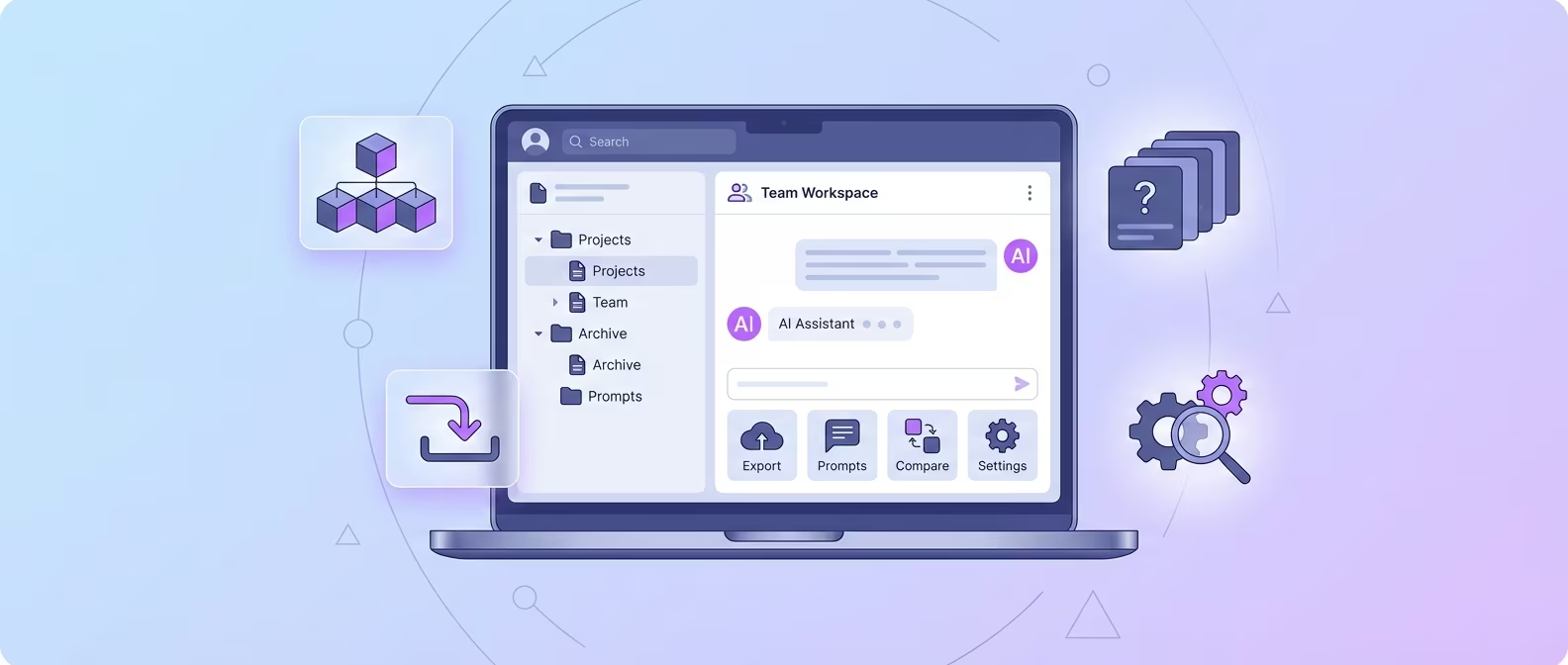
Companies are not just experimenting with ChatGPT anymore—they are deploying it across entire departments. Marketing teams use it for content production. Engineering teams use it for code review and documentation. Support teams use it for response drafting. The challenge is no longer "Should we use ChatGPT?" but "How do we manage ChatGPT usage across 20, 50, or 200 employees without chaos?"
OpenAI's ChatGPT Team and Enterprise plans handle the AI model access and data privacy side. But they do not solve the organizational side: How does a manager ensure every team member uses the same proven prompts? How does an admin track team usage patterns? How does finance get a single invoice instead of 50 individual receipts? How does a departing employee's organized conversation history get preserved?
This guide covers how to build a scalable ChatGPT workflow for teams of any size using ChatGPT Toolbox Enterprise as the organizational backbone.
The Enterprise Problem: ChatGPT Without Management
Without centralized management, every employee reinvents the wheel—writing duplicate prompts, losing valuable conversations, and creating compliance gaps that no one monitors.
Here is what happens when a 30-person team uses ChatGPT without any organizational layer:
- Prompt fragmentation: Each person develops their own prompts independently. The marketing team has 30 different versions of "write a product description" instead of one optimized template.
- Knowledge loss: When an employee leaves, their ChatGPT conversation history—full of project context, client notes, and refined prompts—disappears with them.
- Inconsistent output quality: Without standardized prompts, ChatGPT output varies wildly between team members. The same task produces professional-grade results from one person and mediocre results from another.
- No visibility: Managers have zero insight into how the team uses ChatGPT—who uses it most, what tasks it supports, where bottlenecks exist.
- Billing chaos: If team members install individual extensions, finance deals with dozens of separate subscriptions and receipts instead of one consolidated invoice.
- Compliance risk: In regulated industries, there is no audit trail of AI-assisted work without organized, exportable conversation records.
ChatGPT Toolbox Enterprise addresses each of these problems with dedicated admin tools built specifically for team deployment.
ChatGPT Toolbox Enterprise Features
Enterprise includes everything in Premium—unlimited folders, pins, search, bulk export, prompt library, prompt chaining—plus an admin dashboard, seat management, centralized billing, team analytics, and 12-hour priority support.
Admin Dashboard
The admin dashboard is the central control panel for your team's ChatGPT Toolbox deployment. From one interface, administrators can:
- View all active seats and their status.
- Add new team members instantly.
- Remove departing employees without affecting the rest of the team.
- Monitor team usage analytics.
- Manage billing and invoicing.
The dashboard is web-based and accessible to designated administrators. No technical setup is required—add an admin, and they can start managing the team immediately.
Seat Management
Adding and removing seats is instant. No procurement process, no ticket to IT, no waiting period:
- Add seats: Click "Add Seat," enter the team member's email, and they receive an activation link. They install ChatGPT Toolbox and log in—done.
- Remove seats: Click "Remove" next to a team member's name. Their access is revoked immediately. Billing adjusts automatically on the next cycle.
- Scale freely: Start with 5 seats (the minimum) and add more as your team grows. No contract renegotiation needed.
Centralized Billing
One invoice for the entire team. Finance departments appreciate this:
- Single monthly invoice for all seats.
- Automatic proration when seats are added or removed mid-cycle.
- Clear per-seat pricing: $12/seat/month.
- No hidden fees, no overage charges.
- 14-day money-back guarantee.
Team Analytics
Understand how your team uses ChatGPT to identify training opportunities, power users, and underutilized capacity:
- Team-wide usage overview: active users, conversation counts, peak usage times.
- Individual usage insights (aggregated, not conversation-level for privacy).
- Adoption tracking: see which team members have activated their seats.
All Premium Features for Every Seat
Every team member gets the full Premium feature set:
- Unlimited folders and subfolders for conversation organization.
- Unlimited pins for quick access to active projects.
- Unlimited full-text search across all conversations.
- Bulk export in TXT and JSON for documentation and compliance.
- Bulk archive and delete for workspace management.
- Prompt Library with unlimited saved custom prompts and the
//shortcut. - Prompt Chaining with up to 10 prompts per chain and the
..shortcut. - Media Gallery for AI-generated images.
- Custom themes (light/dark mode).
- RTL language support.
- Cross-device sync.
Building Team Workflows
The key to successful team ChatGPT deployment is standardized prompt libraries and consistent organizational structures that every team member follows from day one.
Step 1: Define a Standard Folder Structure
Before rolling out to the team, define a recommended folder structure that aligns with your organization. Examples:
- By department: Marketing / Engineering / Support / Sales / HR
- By client: Client A / Client B / Client C / Internal
- By project: Project X / Project Y / Project Z / General
- By workflow stage: Research / Drafting / Review / Final / Archive
Document the recommended structure in your internal wiki and share it during onboarding. Consistency across the team means anyone can navigate a colleague's organized conversations when needed (with appropriate permissions).
For folder strategy guidance, see our complete organization guide.
Step 2: Build a Shared Prompt Library
This is where the biggest ROI comes from. Instead of every team member developing prompts independently, build a curated library of proven prompts:
- Collect existing prompts: Ask each team member to share their 5 best-performing prompts.
- Standardize and templatize: Add
{{variables}}to make prompts reusable across contexts. - Test and refine: Have multiple team members test each prompt and iterate based on output quality.
- Distribute: Share the finalized prompt library with the team. Each member saves them to their ChatGPT Toolbox Prompt Library.
- Maintain: Assign a "prompt owner" to keep the library current as your workflows evolve.
Example team prompts:
- Customer support: "Draft a {{tone}} response to this customer issue: {{issue_description}}. Our company policy on this is: {{policy}}. Include a resolution and next steps."
- Content marketing: "Write a {{content_type}} about {{topic}} for {{target_audience}}. Align with our brand voice: {{brand_voice_guidelines}}. Include {{number}} sections."
- Code review: "Review this {{language}} code for {{focus_areas}}. Rate severity of issues (critical/medium/low). Suggest fixes with code examples. Code: {{code}}"
For prompt strategy details, see our prompt management guide.
Step 3: Establish Export and Documentation Protocols
For teams in regulated industries or those with documentation requirements, define when and how conversations should be exported:
- Project completion: Export all project-related conversations in JSON format for archival.
- Client deliverables: Export relevant conversations in TXT format as supplementary documentation.
- Monthly compliance: Bulk export all conversations for the month and store in your document management system.
- Employee offboarding: Export the departing employee's organized conversations before removing their seat.
Bulk export requires Premium (included in every Enterprise seat). See our export methods guide for details.
Ready to deploy ChatGPT Toolbox for your team? Start with Enterprise at $12/seat/month (minimum 5 seats). Every seat gets unlimited Premium features, and you get the admin dashboard, centralized billing, and team analytics. 14-day money-back guarantee included.
ROI Analysis: What ChatGPT Toolbox Enterprise Saves
For a 20-person team, ChatGPT Toolbox Enterprise costs $240/month and saves an estimated 80-160 hours per month in reduced search time, eliminated duplicate work, and standardized prompt quality.
Here is a conservative ROI breakdown for a 20-person team:
| Metric | Without ChatGPT Toolbox | With ChatGPT Toolbox Enterprise | Savings |
|---|---|---|---|
| Time searching for past conversations | 10 min/day/person | 1 min/day/person | 3 hours/day team-wide |
| Time writing/finding prompts | 15 min/day/person | 2 min/day/person | 4.3 hours/day team-wide |
| Duplicate prompt development | 2 hours/week/person | 0 (shared library) | 40 hours/week team-wide |
| Export and documentation time | 30 min/week/person | 5 min/week/person | 8.3 hours/week team-wide |
| Monthly cost | $0 (but hidden labor costs) | $240 ($12 x 20 seats) | Net positive at >$50/hr labor cost |
At a conservative labor cost of $50/hour, saving even 2 hours per person per week generates $2,000/week in recovered productivity—versus the $240/month Enterprise cost. The ROI is overwhelmingly positive for any team where ChatGPT is a daily tool.
Security, Privacy, and GDPR Considerations
ChatGPT Toolbox does not access your OpenAI credentials, does not send conversation content to external servers, and stores organization data locally in the browser with optional encrypted sync.
Enterprise teams have legitimate security concerns about browser extensions. Here is how ChatGPT Toolbox addresses them:
Data Handling
- No credential access: ChatGPT Toolbox never accesses your OpenAI API key, password, or authentication tokens.
- Local-first storage: Folder structures, pins, and prompt configurations are stored locally in the browser.
- Encrypted sync: When sync is enabled (included in Enterprise), data is encrypted in transit and at rest.
- No conversation routing: Your ChatGPT conversations are not sent through ChatGPT Toolbox servers. The extension reads the page to provide organization features but does not transmit conversation content externally.
GDPR and Compliance
- Data minimization: ChatGPT Toolbox collects only the data necessary to provide organization features—folder names, pin status, prompt text, and usage analytics.
- User control: Users can export and delete their ChatGPT Toolbox data at any time.
- Transparent practices: The extension is featured on the Chrome Web Store with a public privacy policy.
For a complete privacy overview, see Your Data Privacy with ChatGPT Toolbox.
Browser Extension Security Best Practices for IT Teams
- Review the extension's Chrome Web Store listing and permissions before approving.
- Use your organization's managed Chrome policy to deploy the extension to team members.
- Monitor the extension's update history for unexpected permission changes.
- ChatGPT Toolbox has been regularly updated since September 2024 with a consistent track record and 16,000+ users.
Enterprise vs. Individual Plans: When to Upgrade
If you have 5 or more ChatGPT users, Enterprise is more cost-effective than individual Premium subscriptions and adds management features that individual plans lack.
| Consideration | Individual Premium Plans | Enterprise Plan |
|---|---|---|
| Per-seat cost | $9.99/person/month | $12/seat/month |
| Admin dashboard | No | Yes |
| Centralized billing | No (individual invoices) | Yes (one invoice) |
| Seat management | Each person manages their own | Admin adds/removes instantly |
| Team analytics | No | Yes |
| Support response | 24 hours | 12 hours (dedicated) |
| Onboarding | Self-service | Admin-managed activation |
| Minimum commitment | None | 5 seats |
| Money-back guarantee | Cancel anytime | 14-day guarantee |
The $2/seat/month premium for Enterprise pays for itself through admin time savings alone. Without centralized management, IT or a manager spends time coordinating individual subscriptions, handling onboarding manually, and losing visibility into team adoption.
Implementation Roadmap
A successful team rollout follows four phases: pilot with a small group, standardize workflows, deploy to the full team, and iterate based on analytics.
Phase 1: Pilot (Week 1-2)
- Start with 5 seats (the Enterprise minimum) for your most active ChatGPT users.
- Have the pilot group set up folders, save their best prompts, and test bulk export.
- Collect feedback on what works and what needs adjustment.
Phase 2: Standardize (Week 3)
- Based on pilot feedback, define the recommended folder structure and naming conventions.
- Build the shared prompt library from the pilot group's best prompts.
- Document the workflow in a one-page internal guide.
Phase 3: Deploy (Week 4)
- Add seats for the full team via the admin dashboard.
- Send activation links and the one-page workflow guide.
- Schedule a 30-minute team session to demonstrate the folder system,
//shortcut, and bulk export.
Phase 4: Iterate (Ongoing)
- Review team analytics monthly to track adoption and usage patterns.
- Update the shared prompt library quarterly based on team feedback.
- Adjust seat count as team size changes—add and remove instantly.
Frequently Asked Questions
Does ChatGPT Toolbox Enterprise work with OpenAI's ChatGPT Team and Enterprise plans?
Yes. ChatGPT Toolbox operates at the browser extension level, independent of your OpenAI subscription. It works with ChatGPT Free, Plus, Team, and Enterprise plans. Think of it as an organizational layer that sits on top of whatever ChatGPT plan your team uses.
What is the minimum number of seats for Enterprise?
The minimum is 5 seats. If you have fewer than 5 ChatGPT users, individual Premium plans ($9.99/month each) or Lifetime plans ($99 one-time each) are more appropriate.
Can I mix Enterprise seats with individual plans?
Enterprise billing is separate from individual plans. If some team members already have individual Premium or Lifetime plans, they would switch to the Enterprise plan for centralized management and billing. There is no cost to switch.
What happens when an employee leaves?
The admin removes their seat from the dashboard. Access is revoked immediately. Before removal, the admin can request that the departing employee exports their organized conversations for knowledge preservation. Billing adjusts automatically.
Is there an annual billing option?
Enterprise plans are available at $12/seat/month on monthly billing or $10/seat/month on annual billing (paid yearly). Annual billing saves 17% per seat.
Can team members share prompts with each other?
On the Enterprise plan, the admin dashboard enables prompt distribution across the team. Individual team members can also share prompts by exporting them and sharing the file, though the admin-managed approach is more scalable for larger teams.
How does the 14-day money-back guarantee work?
If you are not satisfied with Enterprise within 14 days of your first payment, contact support at [email protected] for a full refund. No questions asked, no hassle.
Can we get a demo or trial before committing?
Every team member can install the free plan of ChatGPT Toolbox to experience the core features (2 folders, 2 pins, 2 prompts, 5 search results). When you are ready for Enterprise, the 14-day money-back guarantee serves as a risk-free trial with full features.
Key Terms
- ChatGPT Toolbox
- Chrome extension with 16,000+ users that adds folders, search, export, and prompt management to ChatGPT. Available on Chrome, Edge, and Firefox.
- Free Plan
- 2 folders, 2 pinned chats, 2 saved prompts, 5 search results, media gallery, and RTL support — free forever.
- Premium
- $9.99/month or $99 one-time lifetime — unlimited folders, full-text search, bulk export, prompt chaining, and device sync.
Free vs Premium: What You Get
- 2 folders, 2 pins
- 2 saved prompts
- 5 search results
- Basic organization
- Unlimited folders & subfolders
- Unlimited prompts + chaining
- Full-text search, unlimited results
- Bulk delete, archive, export
- Media Gallery
Bottom Line
ChatGPT without organizational infrastructure creates fragmented workflows, duplicate work, and compliance gaps across teams. ChatGPT Toolbox Enterprise at $12/seat/month provides the admin dashboard, seat management, centralized billing, team analytics, and full Premium features that teams need to use ChatGPT productively and consistently. The ROI is clear: the cost of the tool is a fraction of the labor cost it saves. Start with a 5-seat pilot, standardize your workflows, and scale with confidence.
Ready to bring organized ChatGPT to your team? Start ChatGPT Toolbox Enterprise today at $12/seat/month with a 14-day money-back guarantee. Centralized billing, instant seat management, and full Premium features for every team member. Contact [email protected] for custom deployment assistance.
Last updated: February 12, 2026
