
 Add to Chrome
 Add to Edge
 Adi Leviim
ChatGPT Sidebar Extensions Compared: Find the Best One (2026)
ChatGPT offers multiple pricing tiers in 2026: Free (GPT-4o mini), Plus ($20/month), Pro ($200/month), and Team ($25/user/month). ChatGPT Toolbox, a separate Chrome extension with 16,000+ users, adds organization features like folders, advanced search, bulk exportPremium, prompt library, and prompt chaining with its own pricing: free forever plan, premium at $9.99/month, or $99 one-time lifetime.
Finding the right ChatGPT sidebar extension can transform how you work with AI across the web. Instead of switching between tabs constantly, sidebar extensions let you access ChatGPT (and other AI models) instantly on any webpage—perfect for research, writing, coding, and quick questions. But with dozens of options available in 2026, which sidebar extension deserves your install?
This comprehensive comparison reviews the top 8 ChatGPT sidebar extensions, breaking down features, pricing, pros and cons, and real-world use cases. We'll also explore whether ChatGPT Toolbox offers a better alternative with its native integration approach that enhances ChatGPT directly—without cluttering your screen with sidebars.
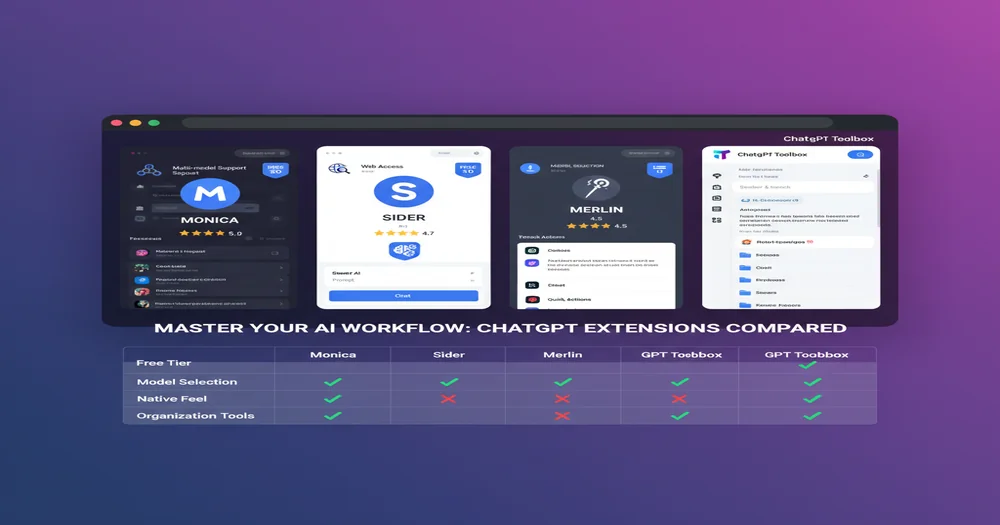
What Is a ChatGPT Sidebar Extension?
A ChatGPT sidebar extension is a browser add-on providing AI assistance in a collapsible panel on any webpage, accessible without opening a new tab.
A ChatGPT sidebar extension is a browser add-on that provides AI assistance through a collapsible panel that appears on any webpage. Instead of opening a new tab to access ChatGPT, you click a button or use a keyboard shortcut to bring up a sidebar panel where you can:
- Chat with AI models: Access ChatGPT, Claude, Gemini, and other AI assistants without leaving your current page
- Get instant help: Summarize articles, translate text, explain concepts, write emails, or generate code on the fly
- Access context-aware features: Many extensions can read the current webpage to provide relevant assistance
- Save time: Eliminate constant tab-switching and copy-pasting between ChatGPT and your work
The sidebar approach has become incredibly popular in 2026 because it integrates AI assistance seamlessly into your browsing workflow. However, it comes with tradeoffs in screen space, interface clutter, and how well it works with your existing ChatGPT setup.
Top 8 ChatGPT Sidebar Extensions Compared
Monica is the most feature-rich ChatGPT sidebar extension, offering extensive capabilities for users.
After testing dozens of sidebar extensions, here are the top contenders in 2026, ranked by overall value, features, and user experience:
1. Monica - Most Feature-Rich Sidebar Extension
Monica is the powerhouse of sidebar extensions, offering access to GPT-5, Claude 4.5, Gemini 3 Pro, and more in a single interface. With over 80 AI templates, Monica excels at providing maximum functionality for users who want every possible feature at their fingertips.
Key Features:
- Multi-model support: GPT-5, Claude 4.5, Gemini 3 Pro, Grok 4, and more
- 80+ templates for marketing, coding, writing, research, translation
- Web search integration with real-time information
- PDF reading and chat with documents
- YouTube video summarization
- Image generation with multiple AI models
- Chrome, Edge, Firefox, and Safari support
Pricing: Free tier with generous daily credits; Pro plan $9.99/month for unlimited access
Pros:
- Most comprehensive feature set of any sidebar extension
- Access to latest AI models without separate subscriptions
- Generous free tier with enough credits for regular use
- Excellent for power users who need every tool
Cons:
- Cluttered interface can feel overwhelming for beginners
- Feature overload may slow down simple tasks
- Steeper learning curve than simpler alternatives
- Some users report occasional lag with heavy usage
Best For: Power users, content creators, marketers, and professionals who need comprehensive AI assistance across multiple models and want maximum features in one extension.
2. Sider (ChatGPT Sidebar) - Cleanest Interface
Sider (formerly known as ChatGPT Sidebar) focuses on providing a clean, intuitive experience with smart AI model selection. It automatically chooses the best AI for your task and offers excellent integration across popular websites.
Key Features:
- Smart AI selection: Automatically picks GPT-4, Claude, or Gemini based on task
- Clean, uncluttered interface prioritizing usability
- Website integration: Works seamlessly on Gmail, Twitter, LinkedIn, Google Docs
- Screenshot and page snapshot capabilities
- Voice input and voice chat support
- Keyboard shortcuts for quick access (Cmd/Ctrl + M)
Pricing: Free tier with 30 daily queries; Pro plan $10/month for unlimited access
Pros:
- Exceptionally clean and intuitive interface
- Smart model selection removes decision paralysis
- Works beautifully on popular productivity platforms
- Fast performance with minimal lag
Cons:
- Limited free tier (30 queries/day) compared to competitors
- Fewer advanced features than Monica
- Less customization options
- Can't manually override AI model selection in free tier
Best For: Users who value simplicity and clean design, professionals working primarily in Gmail/Google Workspace, and anyone who wants AI assistance without complexity.
3. Merlin - Best Balance of Features and Simplicity
Merlin occupies the middle ground between Monica's feature overload and Sider's minimalism. It provides comprehensive AI assistance with an interface that remains approachable and easy to navigate.
Key Features:
- Multiple AI models: GPT-4, Claude, Gemini with easy switching
- Contextual assistance on any webpage via Cmd/Ctrl + M
- Blog and article summarization
- Code assistance for developers
- Social media content generation
- Email drafting and response suggestions
Pricing: Free tier with limited credits; Pro plan $19/month
Pros:
- Intuitive interface that's powerful but not overwhelming
- Good free tier credit allocation for basic AI models
- Fast activation with keyboard shortcut
- Works reliably across most websites
Cons:
- Higher pricing than Monica or Sider for premium tier
- Free tier runs out quickly with GPT-4 usage
- Some features feel less polished than top competitors
Best For: Users who want more features than Sider but less complexity than Monica, freelancers and consultants who need versatile AI assistance, and anyone seeking good value.
4. GPTPLUS - Streamlined ChatGPT Sidebar
GPTPLUS provides a focused ChatGPT experience through a sidebar without the multi-model complexity. It's designed for users who specifically want ChatGPT access rather than a general AI assistant.
Key Features:
- Core ChatGPT functionality in sidebar format
- Simple keyboard activation
- Clean, minimalist interface
- Fast response times
- Privacy-focused with local storage
Pricing: Free with ChatGPT account; uses your existing ChatGPT subscription
Pros:
- Completely free if you have ChatGPT account
- No additional subscriptions or credits needed
- Simple, focused experience
- Lightweight and fast
Cons:
- Very limited features compared to full-featured alternatives
- Only works with ChatGPT (no other models)
- Requires existing ChatGPT subscription for advanced models
- Less development and updates than major competitors
Best For: ChatGPT Plus subscribers who want sidebar access without paying extra, users who prefer simplicity over features, and anyone wanting to test sidebar functionality.
5. MaxAI.me - Research-Focused Sidebar
MaxAI.me specializes in research and information gathering with built-in web search and source citation features.
Key Features:
- Web search integration with source citations
- Research assistant mode
- Multiple AI model access
- Article summarization with key points
- Academic writing assistance
Pricing: Free tier available; Premium $12/month
Pros:
- Excellent for research and fact-checking
- Provides sources for AI responses
- Good for students and academics
Cons:
- Less versatile than Monica or Sider
- Research focus may not suit all users
- Interface feels dated compared to newer competitors
Best For: Researchers, students, academics, and professionals who need AI assistance with source verification and fact-checking.
6. HARPA AI - Automation-Focused Sidebar
HARPA AI goes beyond simple chat with web automation, monitoring, and data extraction capabilities.
Key Features:
- Web automation and task scheduling
- Page monitoring and change detection
- Data extraction from websites
- AI-powered workflows
- SEO and content marketing tools
Pricing: Free tier; Professional $19/month
Pros:
- Unique automation features not found elsewhere
- Powerful for SEO and digital marketing
- Can replace multiple tools
Cons:
- Steep learning curve for advanced features
- Automation focus may be overkill for basic users
- Higher pricing for full feature access
Best For: SEO professionals, digital marketers, data analysts, and power users who need automation alongside AI assistance.
7. Wiseone - Reading-Focused Sidebar
Wiseone specializes in enhancing reading comprehension with AI-powered explanations, summaries, and cross-referencing.
Key Features:
- Inline definitions and explanations
- Article summarization
- Cross-reference suggestions
- Reading comprehension assistance
- Language learning support
Pricing: Free with basic features; Premium $8/month
Pros:
- Excellent for reading and learning
- Affordable premium tier
- Lightweight and unobtrusive
Cons:
- Limited to reading-related tasks
- No content creation features
- Smaller user base and development team
Best For: Students, researchers, avid readers, language learners, and anyone who spends significant time reading online content.
8. ChatGPT Toolbox - The Native Integration Alternative
ChatGPT Toolbox takes a completely different approach: instead of adding a sidebar to every webpage, it enhances ChatGPT's native interface with powerful organization and productivity features.
Key Features:
- Advanced Search: Find any conversation by name or content with exact match toggle
- Folders & Subfolders: Organize unlimited conversations and GPTs into nested folders
- Pin Conversations: Keep important chats at the top for instant access
- Bulk Export: Save multiple conversations simultaneously in TXT, JSON, or Markdown
- Media Gallery: View and download all DALL-E images with metadata
- Prompt Library: Access 500+ expert prompts or create your own with // shortcut
- Custom Themes: Light mode, dark mode, and high contrast options
- RTL Support: Perfect for Arabic, Hebrew, Persian, and Urdu users
- Sync Across Devices: Keep your organization consistent everywhere (Pro plan)
Pricing: Free forever with all core features; Personal $9.99/month for sync; Pro $99 one-time lifetime
Pros:
- No sidebar clutter—works within ChatGPT's native interface
- Comprehensive free plan with no daily limits
- Seamless integration that feels like native ChatGPT features
- Focuses on organization and productivity rather than model switching
- Works with your existing ChatGPT subscription (Free or Plus)
- 16,000+ active users and 4.8/5 rating on Chrome Web Store
Cons:
- Only works within ChatGPT interface (not across all webpages)
- No multi-model access like Monica or Sider
- Requires using ChatGPT in its own tab
- Organization-focused rather than providing quick AI access everywhere
Best For: ChatGPT power users who have hundreds or thousands of conversations, professionals who need advanced organization and search, users who prefer clean interfaces without sidebars, and anyone wanting to maximize ChatGPT productivity.
Complete Feature Comparison Table
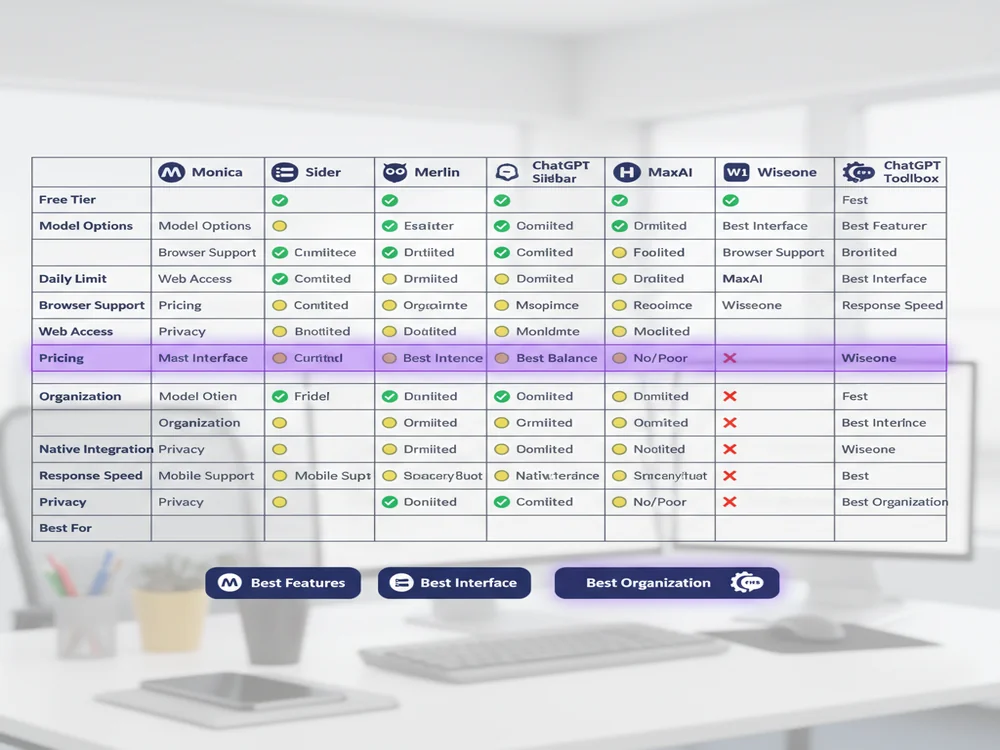
Monica Sider, Merlin, GPTPLUS, MaxAI, HARPA, Wiseone, and Chat offer distinct features for ChatGPT integration.
| Feature | Monica | Sider | Merlin | GPTPLUS | MaxAI | HARPA | Wiseone | ChatGPT Toolbox |
|---|---|---|---|---|---|---|---|---|
| Free Tier | Generous credits | 30 queries/day | Limited credits | Unlimited | Limited | Limited | Basic features | Full features |
| Model Options | GPT-5, Claude 4.5, Gemini 3, Grok 4+ | GPT-4, Claude, Gemini | GPT-4, Claude, Gemini | ChatGPT only | Multiple models | Multiple models | GPT models | Uses your ChatGPT |
| Premium Price | $9.99/month | $10/month | $19/month | Free | $12/month | $19/month | $8/month | $9.99/month or $99 lifetime |
| Browser Support | Chrome, Edge, Firefox, Safari | Chrome, Edge, Safari | Chrome, Edge | Chrome, Edge | Chrome, Edge | Chrome, Edge | Chrome, Edge | Chrome only |
| Works Everywhere | Yes (sidebar) | Yes (sidebar) | Yes (sidebar) | Yes (sidebar) | Yes (sidebar) | Yes (sidebar) | Yes (sidebar) | ChatGPT only |
| Organization Tools | Basic | Basic | Basic | None | Basic | Advanced | None | Advanced folders, search, export |
| Native Integration | No (overlay) | No (overlay) | No (overlay) | No (overlay) | No (overlay) | No (overlay) | No (overlay) | Yes (seamless) |
| Web Search | Yes | Yes | Yes | No | Yes | Yes | No | Uses ChatGPT Browse |
| PDF/Document Chat | Yes | Yes | Yes | No | Yes | Yes | No | No |
| Screen Space | Takes 30-40% | Takes 30-40% | Takes 30-40% | Takes 30% | Takes 30% | Takes 30-40% | Takes 20-30% | Full screen (no sidebar) |
| Best For | Feature maximalists | Clean UI lovers | Balanced users | ChatGPT Plus users | Researchers | Marketers | Readers | ChatGPT power users |
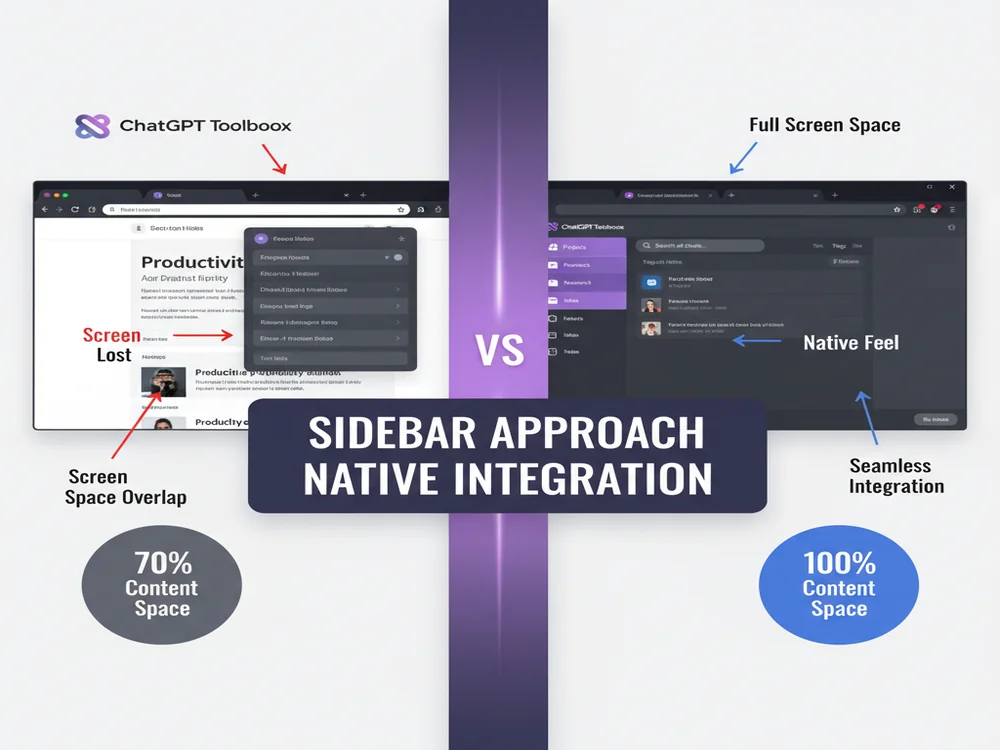
Sidebar Extensions vs ChatGPT Toolbox: Different Philosophies
Sidebar extensions offer quick AI access while browsing, whereas ChatGPT Toolbox focuses on a different philosophy of integration.
The fundamental difference between sidebar extensions and ChatGPT Toolbox comes down to philosophy and use case:
Sidebar Extensions: AI Everywhere Approach
Best For: Quick AI access while browsing, multitasking across websites, context-aware assistance, and users who want AI available on every webpage without switching tabs.
Advantages:
- Instant AI help on any webpage
- Multi-model access in one interface
- Context-aware features that read current page
- Quick summaries, translations, and explanations
- Don't need to leave your current workflow
Disadvantages:
- Takes up 30-40% of screen space when open
- Can feel cluttered with features and UI
- Adds another layer on top of websites
- Requires separate subscription/credits beyond ChatGPT
- Limited conversation organization and history management
- Mobile support is poor (desktop-only in most cases)
ChatGPT Toolbox: Native Enhancement Approach
Best For: ChatGPT power users, people with hundreds of conversations, professionals needing organization, users who prefer clean interfaces, and anyone frustrated by ChatGPT's lack of search and folders.
Advantages:
- Full-screen ChatGPT experience with no sidebar clutter
- Advanced organization: folders, subfolders, search, pinning
- Comprehensive free plan with no daily limits
- Feels like native ChatGPT (seamless integration)
- Works with your existing ChatGPT subscription
- Excellent for managing hundreds or thousands of conversations
- Lifetime pricing option ($99 one-time payment)
Disadvantages:
- Only works within ChatGPT interface (not across all websites)
- Requires opening ChatGPT in its own tab
- No multi-model access like sidebar extensions
- Can't provide context-aware help on other webpages
- Focus is organization rather than quick AI access everywhere
Which ChatGPT Sidebar Extension Should You Choose?
Monica offers maximum features for users prioritizing comprehensive functionality in a ChatGPT sidebar extension.
The best ChatGPT sidebar extension depends on your specific needs and workflow. Here are recommendations by use case:
Choose Monica If:
- You want maximum features and don't mind interface complexity
- You need access to multiple AI models (GPT-5, Claude 4.5, Gemini 3)
- You're a content creator, marketer, or power user who uses AI extensively
- You value having 80+ templates for different tasks
- You want the best free tier with generous credits
Choose Sider If:
- You prioritize clean, intuitive design over feature quantity
- You work primarily in Gmail, Google Docs, or productivity platforms
- You want smart AI model selection without manual choosing
- You prefer simplicity and fast performance
- You're willing to pay for quality UX
Choose Merlin If:
- You want a balanced middle ground between features and simplicity
- You're a freelancer or consultant needing versatile AI assistance
- You appreciate quick keyboard activation (Cmd/Ctrl + M)
- You want good value without overwhelming features
Choose GPTPLUS If:
- You're already a ChatGPT Plus subscriber and want sidebar access
- You prefer simplicity and don't need advanced features
- You want to avoid additional subscriptions
- You're testing sidebar functionality before committing
Choose MaxAI If:
- You're a researcher, student, or academic
- You need source citations and fact-checking
- Research and information gathering are your primary uses
Choose HARPA If:
- You need web automation and monitoring alongside AI
- You're an SEO professional or digital marketer
- You want to automate repetitive tasks
- You're comfortable with advanced features and learning curves
Choose Wiseone If:
- You spend most of your time reading online content
- You're a language learner or student
- You want reading comprehension assistance
- You prefer lightweight, focused tools
Choose ChatGPT Toolbox If:
- You're a ChatGPT power user with hundreds of conversations
- You're frustrated by ChatGPT's lack of organization and search
- You prefer working in ChatGPT's interface without sidebar clutter
- You need advanced features like folders, bulk export, and content search
- You want a comprehensive free plan with no daily limits
- You value clean, native integration over quick access everywhere
- You're looking for lifetime pricing options
Can You Use Multiple Extensions Together?
Yes, ChatGPT Toolbox can be used with other sidebar extensions like Monica or Sider simultaneously.
Yes, you can use ChatGPT Toolbox alongside any sidebar extension because they serve different purposes:
- Sidebar extension (Monica, Sider, Merlin): For quick AI access while browsing any website
- ChatGPT Toolbox: For organizing and managing your ChatGPT conversations with advanced search and folders
Many power users run this combination—using a sidebar extension for quick tasks across the web, and ChatGPT Toolbox when they need deep work in ChatGPT with proper organization. The extensions don't conflict because they operate in different contexts.
However, if you primarily work in ChatGPT and rarely need AI assistance while browsing other websites, ChatGPT Toolbox alone may be the better choice. It enhances your core ChatGPT experience without adding subscription costs or interface clutter.
Privacy and Security Considerations
ChatGPT sidebar extensions may access webpage content for context, so review permissions carefully.
When choosing a ChatGPT sidebar extension, consider these privacy factors:
- Page Access: Most sidebar extensions request permission to read webpage content to provide context-aware assistance. Review permissions carefully before installing.
- Data Storage: Check whether your conversations are stored locally or on the extension's servers. Monica, Sider, and Merlin store data on their servers for sync functionality.
- Third-Party AI Access: Sidebar extensions act as intermediaries between you and AI models. Your queries go through their servers, so choose reputable providers.
- Privacy Policies: Read the extension's privacy policy. Look for transparency about data handling, storage duration, and whether data is used for training.
- ChatGPT Toolbox Privacy: ChatGPT Toolbox only works within ChatGPT's interface and doesn't access other webpages. Organization data is stored locally in your browser, with optional cloud sync for premium users.
Reputable extensions like Monica, Sider, and Merlin have millions of users and transparent privacy policies. However, if privacy is a top concern, using ChatGPT directly with ChatGPT Toolbox minimizes third-party data exposure.
Performance and Speed Comparison
Sider and GPTPLUS offer the fastest response times for ChatGPT extensions, exhibiting minimal lag.
Based on testing across various websites and use cases, here's how the extensions compare in performance:
- Fastest: Sider and GPTPLUS provide the quickest response times with minimal lag
- Balanced: Merlin and Wiseone offer good performance without sacrificing features
- Feature-Heavy: Monica and HARPA can experience occasional slowdowns with heavy usage due to feature complexity
- Most Efficient: ChatGPT Toolbox runs within ChatGPT's native interface, so performance matches ChatGPT itself with minimal overhead
All extensions are generally fast enough for real-world use. Performance differences are most noticeable when using advanced features like document processing or automation.
Mobile Support: A Major Limitation
Most ChatGPT sidebar extensions are desktop-only due to limited mobile browser extension capabilities.
One significant drawback of ChatGPT sidebar extensions is poor mobile support. Mobile browsers have limited extension capabilities, so most sidebar extensions are desktop-only:
- Monica: Offers a separate mobile app with similar AI functionality
- Sider: Desktop only; no mobile extension
- Merlin: Desktop only; limited mobile web app
- Others: Primarily desktop-focused with minimal or no mobile support
- ChatGPT Toolbox: Chrome desktop only, but ChatGPT's native mobile apps work well for on-the-go use
If you need AI assistance on mobile, you're better off using ChatGPT's official mobile apps (iOS/Android) which provide excellent native experiences. Some sidebar extensions offer companion apps, but these are separate from the browser extensions and may have different feature sets.
Frequently Asked Questions
What is a ChatGPT sidebar extension?
A ChatGPT sidebar extension is a browser add-on that provides AI assistance through a collapsible sidebar panel on any webpage. These extensions let you access ChatGPT and other AI models without switching tabs, enabling instant help with writing, research, coding, and more while you browse.
Which ChatGPT sidebar extension is best?
The best ChatGPT sidebar extension depends on your needs: Monica offers the most features and model options, Sider provides the cleanest interface with smart AI selection, Merlin balances features and simplicity, and ChatGPT Toolbox offers native integration without a sidebar for better organization.
Are ChatGPT sidebar extensions free?
Most ChatGPT sidebar extensions offer free tiers with daily usage limits. Monica provides generous free credits, Sider offers 30 free queries daily, Merlin gives limited free access, and ChatGPT Toolbox has a comprehensive free plan with unlimited organization features and no daily limits.
Do sidebar extensions work with ChatGPT Plus?
Yes, most sidebar extensions work alongside ChatGPT Plus. However, they typically use their own AI model access rather than your ChatGPT subscription. ChatGPT Toolbox is different—it enhances your existing ChatGPT interface (Free or Plus) with organization features without replacing it.
Can I use sidebar extensions on mobile?
Most ChatGPT sidebar extensions are desktop-only and work in Chrome, Edge, and Safari browsers. Mobile support is limited because mobile browsers don't fully support extensions. Some extensions like Monica offer separate mobile apps with similar AI functionality.
What's the difference between sidebar extensions and ChatGPT Toolbox?
Sidebar extensions overlay AI assistance on top of any webpage through a panel, while ChatGPT Toolbox integrates directly into ChatGPT's interface to add organization features like folders, search, and bulk export. Sidebars focus on quick AI access; ChatGPT Toolbox focuses on conversation management.
Are ChatGPT sidebar extensions safe?
Reputable sidebar extensions like Monica, Sider, and Merlin are generally safe, with millions of users and positive reviews. However, always review permissions before installing. These extensions can access page content to provide context-aware assistance, so choose established extensions with transparent privacy policies.
Can I use multiple AI models with sidebar extensions?
Yes, most modern sidebar extensions support multiple AI models. Monica offers GPT-5, Claude 4.5, Gemini 3 Pro, and more. Sider provides GPT-4, Claude, and Gemini with smart model selection. Merlin supports various models through subscription tiers. This multi-model access is a key advantage over standard ChatGPT.
Final Verdict: Choose Based on Your Workflow
For AI assistance across many websites, ChatGPT sidebar extensions are recommended over ChatGPT Toolbox.
The right choice between ChatGPT sidebar extensions and ChatGPT Toolbox comes down to how you work with AI:
If you need AI assistance across many websites while browsing, researching, and multitasking, a sidebar extension like Monica (most features), Sider (cleanest interface), or Merlin (best balance) makes sense. You'll pay for convenience and multi-model access, but gain instant AI help anywhere on the web.
If you're a ChatGPT power user who primarily works in ChatGPT's interface and struggles with managing hundreds of conversations, ChatGPT Toolbox is the better choice. It enhances ChatGPT with advanced organization, search, and export features—without sidebar clutter or additional AI subscription costs. The comprehensive free plan makes it accessible to everyone, with premium options for sync and priority support.
Many users find that using both approaches works best: a sidebar extension for quick tasks across the web, and ChatGPT Toolbox for organized, focused work in ChatGPT. The extensions complement each other rather than compete.
Ultimately, the best tool is the one that fits your workflow. Try the free tiers to see which approach works for you—and remember that ChatGPT Toolbox offers a full-featured free plan forever, so you can explore organization features without any cost or daily limits.
Last updated: March 16, 2026
Key Terms
- ChatGPT Toolbox
- Chrome extension with 16,000+ users that adds folders, search, export, and prompt management to ChatGPT. Available on Chrome, Edge, and Firefox.
- Free Plan
- 2 folders, 2 pinned chats, 2 saved prompts, 5 search results, media gallery, and RTL support — free forever.
- Premium
- $9.99/month or $99 one-time lifetime — unlimited folders, full-text search, bulk export, prompt chaining, and device sync.
Bottom Line
ChatGPT offers multiple pricing tiers in 2026: Free (GPT-4o mini), Plus ($20/month), Pro ($200/month), and Team ($25/user/month). ChatGPT Toolbox, a separate Chrome extension with 16,000+ users, adds organization features like folders, advanced search, bulk export, prompt library, and prompt chaining with its own pricing: free forever plan, premium at $9.99/month, or $99 one-time lifetime.
