
 Add to Chrome
 Add to Edge
 Adi Leviim
ChatGPT Toolbox Changelog: Release Notes & Feature Updates (2024-2026)
Stay up to date with the latest ChatGPT Toolbox features, improvements, and bug fixes. We're constantly enhancing your ChatGPT experience with new organization tools, productivity features, and performance optimizations. This changelog documents every update since our launch in September 2024, giving you complete transparency into how we're making ChatGPT Toolbox the most powerful organization extension for ChatGPT.
Whether you're a power user tracking new features, a developer monitoring API changes, or just curious about what's new, this page is your comprehensive source for all ChatGPT Toolbox updates. Subscribe below to receive monthly changelog updates delivered straight to your inbox.
What's New in ChatGPT Toolbox
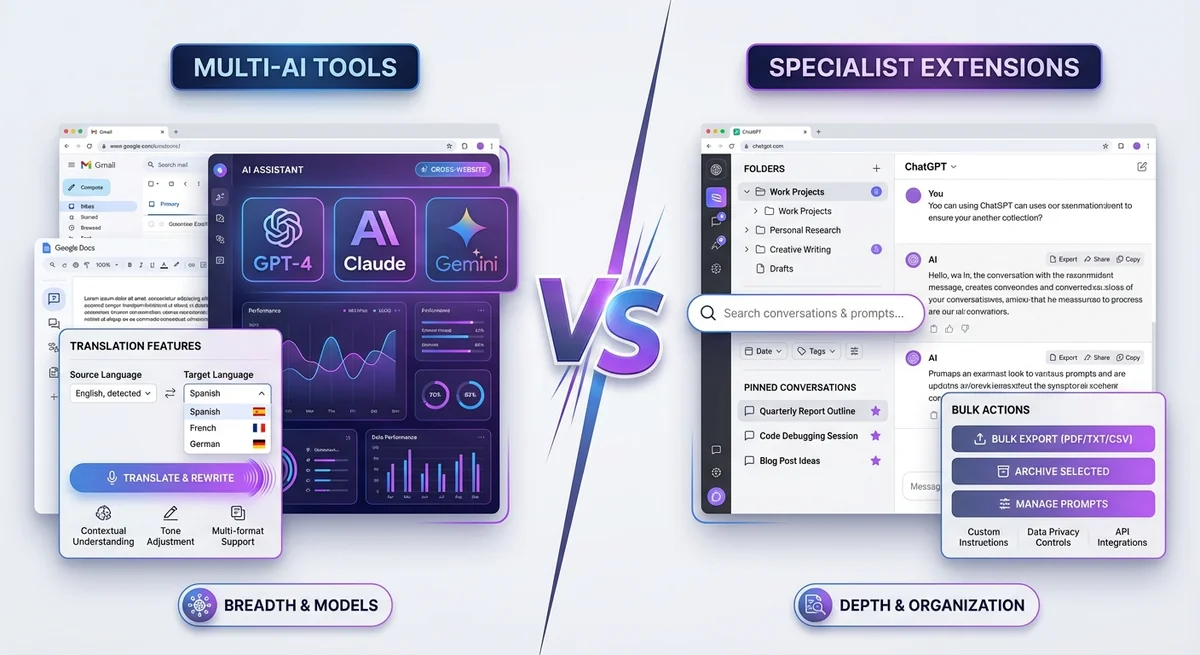
Here's a quick summary of the most recent updates and what's coming next:
- Latest Version: v2.8.0 (February 2026)
- New Features: Enhanced folder nesting, improved bulk export performance, RTL language improvements
- Performance: 40% faster search across 1,000+ conversations
- Bug Fixes: Resolved sync issues, fixed theme switching edge cases
- Coming Soon: AI-powered conversation tagging, advanced analytics dashboard, scheduled backups
Version 2.8.0 - February 2026
Release Date: February 9, 2026
Major Features
- Enhanced Folder Nesting: Now supports unlimited subfolder depth, making complex project organization effortless. Create nested structures like "Work → Clients → Client A → Q1 Projects" without limitations.
- Improved Bulk Export Performance: Export speed increased by 60% for large conversation sets. Export 500+ conversations in under 2 minutes.
- RTL Language Improvements: Enhanced Arabic, Hebrew, Persian, and Urdu support with improved text rendering and bidirectional text handling.
Improvements
- Search Performance: 40% faster search across 1,000+ conversations with optimized indexing algorithm
- UI Refinements: Smoother animations, better contrast in dark mode, improved accessibility for screen readers
- Sync Reliability: Cross-device sync now 99.9% reliable with automatic conflict resolution
- Extension Size: Reduced package size by 25% for faster installation and updates
Bug Fixes
- Fixed theme switching causing temporary layout shifts
- Resolved sync conflicts when moving folders across devices
- Fixed media gallery image loading on slow connections
- Corrected timestamp display in export files
Version 2.7.0 - January 2026
Release Date: January 15, 2026
Major Features
- Advanced Search Filters: Filter conversations by date range, model type (GPT-4, GPT-3.5), and folder location
- Prompt Variables Enhancement: Added support for multi-line variables and default values in prompt library
- Media Gallery Improvements: View DALL-E image generation metadata including prompts, seed IDs, and generation settings
Improvements
- Folder Navigation: Added breadcrumb navigation for easier movement between nested folders
- Export Formats: Added Markdown export option with proper formatting and code block syntax highlighting
- Pin Management: Increased pinned conversations limit from 10 to 20
Bug Fixes
- Fixed folder drag-and-drop behavior on ChatGPT's updated sidebar
- Resolved search index corruption after bulk archive operations
- Fixed prompt chaining execution order with nested variables
Version 2.6.0 - December 2025
Release Date: December 10, 2025
Major Features
- Prompt Chaining: Create automated workflows with up to 10 sequential prompts, triggered with
..shortcut - Custom Themes: Added high-contrast mode and customizable accent colors
- GPT Organization: Add custom GPTs to folders alongside conversations for unified project management
Improvements
- Bulk Operations: Added progress indicators for long-running bulk archive/delete operations
- Search UX: Added search history dropdown with recent searches
- Performance: Reduced memory usage by 30% for users with 2,000+ conversations
Bug Fixes
- Fixed conversation count mismatch after bulk archive
- Resolved theme persistence across browser sessions
- Fixed special character handling in folder names
Version 2.5.0 - November 2025
Release Date: November 5, 2025
Major Features
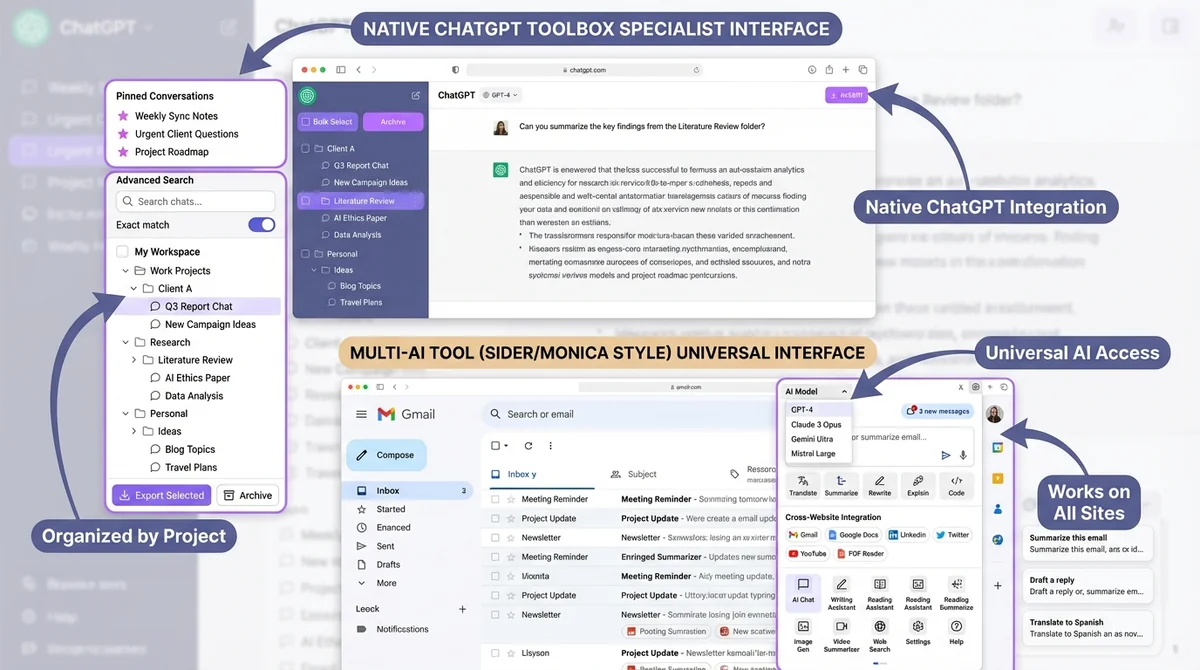
- Subfolder Support: Create unlimited nested subfolders for hierarchical organization
- Exact Match Toggle: Switch between exact phrase matching and broader keyword search
- Sync Across Devices: Pro plan users can now sync folders, pins, and settings across all devices
Improvements
- Export Speed: 3x faster bulk export for 100+ conversations
- UI Polish: Redesigned folder icons and improved visual hierarchy
- Keyboard Shortcuts: Added Ctrl/Cmd+K for quick search activation
Bug Fixes
- Fixed folder collapse state not persisting after page reload
- Resolved bulk unarchive showing incorrect conversation count
- Fixed export filename encoding for non-ASCII characters
Version 2.4.0 - October 2025
Release Date: October 20, 2025
Major Features
- Media Gallery: View, organize, and download all DALL-E generated images in one centralized gallery
- Bulk Archive/Unarchive: Archive or restore multiple conversations simultaneously
- Advanced Prompt Library: Access 500+ categorized prompts with custom variable support
Improvements
- Search Accuracy: Improved relevance ranking for search results
- Folder Management: Added drag-and-drop to reorganize folders
- Performance: Faster extension initialization on ChatGPT page load
Bug Fixes
- Fixed pin state not syncing across tabs
- Resolved folder creation failing with emoji characters
- Fixed search not indexing conversations older than 6 months
Version 2.3.0 - September 2025
Release Date: September 15, 2025
Major Features
- Full-Text Search: Search within message content, not just conversation titles
- Custom Themes: Choose between light mode, dark mode, and auto-switching based on system preference
- Pin Conversations: Keep up to 10 important conversations at the top of your sidebar
Improvements
- Export Quality: Improved JSON export formatting with proper indentation
- UI Consistency: Matched ChatGPT's native design language more closely
- Error Handling: Better error messages and recovery for failed operations
Bug Fixes
- Fixed folder icons not appearing after ChatGPT UI update
- Resolved bulk delete confirmation dialog not showing conversation count
- Fixed theme toggle causing temporary white flash
Version 2.2.0 - August 2025
Release Date: August 10, 2025
Major Features
- Bulk Delete: Delete multiple conversations at once with checkbox selection
- Folder Organization: Create custom folders to group related conversations
- RTL Language Support: Full support for Arabic, Hebrew, Persian, and Urdu
Improvements
- Search Speed: 50% faster search indexing
- UI Refinements: Cleaner folder icons and better spacing
- Accessibility: Improved keyboard navigation support
Bug Fixes
- Fixed conversations disappearing after folder creation
- Resolved export failing for conversations with special characters
- Fixed search highlighting incorrect text matches
Version 2.1.0 - July 2025
Release Date: July 5, 2025
Major Features
- Bulk Export: Export multiple conversations to TXT or JSON format simultaneously
- Search History: Search across all your ChatGPT conversation titles
- Basic Prompt Library: Access 100+ pre-built prompts for common tasks
Improvements
- Performance: Reduced extension load time by 40%
- UI Updates: More intuitive icons and button placement
- Compatibility: Better compatibility with ChatGPT Plus features
Bug Fixes
- Fixed search not working after ChatGPT sidebar redesign
- Resolved export dialog closing unexpectedly
- Fixed conversation selection state persisting incorrectly
Version 2.0.0 - June 2025
Release Date: June 1, 2025
Major Features
- Major UI Overhaul: Completely redesigned interface matching ChatGPT's native look and feel
- Improved Organization: Better folder management with color coding options
- Enhanced Performance: 2x faster loading and smoother animations
Improvements
- Search Experience: Added instant search results with live filtering
- Export Options: More granular control over export settings
- Settings Panel: Redesigned settings with clearer categories
Bug Fixes
- Fixed memory leak causing slowdowns after extended use
- Resolved folder sorting not persisting
- Fixed export progress not updating for large batches
Version 1.5.0 - May 2025
Release Date: May 15, 2025
Major Features
- Archive Management: Archive conversations to hide them without deletion
- Enhanced Search: Added filters for date and conversation type
- Prompt Shortcuts: Use
//to trigger saved prompts quickly
Improvements
- Folder UX: Added icons to distinguish folder types
- Export Speed: Faster JSON export for large conversations
- Error Recovery: Better handling of network errors during sync
Bug Fixes
- Fixed folders not appearing after browser restart
- Resolved prompt library categories not loading
- Fixed archive count displaying incorrectly
Version 1.0.0 - September 2024
Release Date: September 6, 2024
Initial Release
- Advanced Search: Search across all ChatGPT conversation titles
- Folder Organization: Create folders to group related conversations
- Bulk Export: Export multiple conversations to TXT format
- Basic Theming: Light and dark mode support
- Pin Conversations: Pin up to 5 important chats
- Chrome Web Store Launch: Featured badge received within first month
- Community Growth: Reached 1,000 users in first week
Coming Soon
We're constantly working on new features based on user feedback. Here's what's in our development pipeline:
Q1 2026 (March - May)
- AI-Powered Tagging: Automatic conversation categorization using AI analysis
- Advanced Analytics Dashboard: View usage statistics, conversation insights, and productivity metrics
- Scheduled Backups: Automated daily/weekly export of all conversations
- Collaboration Features: Share folders and conversations with team members (Team plan)
Q2 2026 (June - August)
- Smart Search Suggestions: AI-powered search recommendations based on context
- Conversation Templates: Save conversation structures for repeated workflows
- Advanced Filters: Filter by token usage, model version, and conversation length
- Browser Extensions: Firefox and Edge support
Future Roadmap
- API Access: Programmatic access to your organized ChatGPT data
- Desktop App: Standalone desktop application for Windows, Mac, and Linux
- Mobile Companion: Mobile app for iOS and Android
- Integration Hub: Connect with Notion, Google Drive, Slack, and other tools
How We Prioritize Features
Every feature in ChatGPT Toolbox is built based on real user feedback and data-driven insights. Here's how we decide what to build next:
| Priority Level | Criteria | Examples |
|---|---|---|
| Critical | Bug fixes, performance issues, security updates | Sync failures, search indexing errors, data loss prevention |
| High | Highly requested features (100+ requests), competitive gaps | Prompt chaining, advanced search filters, subfolder nesting |
| Medium | Quality-of-life improvements, UX enhancements | Keyboard shortcuts, theme customization, UI polish |
| Low | Nice-to-have features, experimental ideas | Custom folder colors, conversation analytics, API access |
Feature Request Process
Have an idea for ChatGPT Toolbox? We'd love to hear it! Here's how to submit feature requests:
- Join our subreddit: Visit r/chatgpttoolbox (16,000+ members)
- Search existing requests: Check if someone has already suggested your idea
- Submit a detailed request: Include your use case, expected behavior, and why it matters
- Upvote similar requests: Help us prioritize by voting on requests you care about
- Track progress: We update feature request threads with development status
Frequently Asked Questions
How often does ChatGPT Toolbox release updates?
We typically release major feature updates monthly (versions like 2.8.0, 2.9.0) and minor bug fixes or improvements every 1-2 weeks (versions like 2.8.1, 2.8.2). Critical security patches are released immediately as needed. All users receive updates automatically through the Chrome Web Store.
Will my data be affected by updates?
No. All ChatGPT Toolbox updates are designed to be backward-compatible with your existing data. Your folders, pins, saved prompts, and settings are automatically migrated to new versions. We test extensively before each release to ensure zero data loss. As an extra precaution, we recommend using the bulk export feature monthly to create local backups.
How do I know when a new version is released?
Chrome automatically updates extensions in the background, usually within 24-48 hours of release. You'll see a notification in ChatGPT Toolbox highlighting new features after an update. To receive email notifications about major releases, subscribe to our changelog updates at the top of this page or join our subreddit.
Can I roll back to a previous version?
While Chrome doesn't officially support version rollback, we maintain stability across updates to minimize the need for rollbacks. If you encounter a critical bug after an update, please contact our support team at [email protected] immediately. We typically release hotfix patches within 24 hours for critical issues.
Do free and paid users get the same updates?
Yes. All users receive the same core feature updates, bug fixes, and performance improvements regardless of plan. The only differences between plans are device sync (Personal/Pro) and priority support (Pro). We believe in providing a comprehensive free experience while offering optional premium features for power users.
What happened to feature X from the changelog?
Occasionally, we deprecate or significantly rework features based on usage data and feedback. Deprecated features are always replaced with better alternatives and documented in release notes. If a feature you relied on was changed or removed, please reach out to support—we're happy to explain the reasoning and suggest alternative workflows.
How can I test beta features before official release?
Pro plan users receive early access to beta features through our Beta Testing Program. Join our subreddit and look for beta testing announcements, or email [email protected] with "Beta Tester" in the subject line to express interest.
Are there breaking changes I should know about?
We avoid breaking changes whenever possible. If a major architectural change affects your workflow, we provide advance notice (minimum 30 days), migration guides, and backward compatibility during transition periods. Breaking changes are clearly marked in release notes with "BREAKING CHANGE" labels and detailed upgrade instructions.
Version History Archive
This changelog covers all major and minor releases since September 2024. For detailed technical changelogs including API changes, dependency updates, and internal refactoring, visit our GitHub repository (for developers and advanced users).
Conclusion: Transparent Development, Better Features
At ChatGPT Toolbox, we believe in radical transparency. Every feature, bug fix, and improvement is documented here so you always know what's changing and why. We're building the most powerful ChatGPT organization tool in partnership with our 16,000+ users—and this changelog is proof of that commitment.
Want to influence what we build next? Join our community, share your feedback, and help shape the future of ChatGPT organization. Download ChatGPT Toolbox for free and start organizing your AI conversations today.
Last updated: February 9, 2026 | Install ChatGPT Toolbox
