
 Add to Chrome
 Add to Edge
 Adi Leviim
100+ ChatGPT Templates: Ready-to-Use Prompt Library (2026)
Stop writing prompts from scratch. ChatGPT templates are pre-written, copy-paste ready prompts with customizable placeholders that save you 5-10x more time than writing unique prompts for every task. According to GitHub's awesome-chatgpt-prompts, the world's largest open-source prompt library with 143,000+ stars, templates have become essential for professionals in 2026.
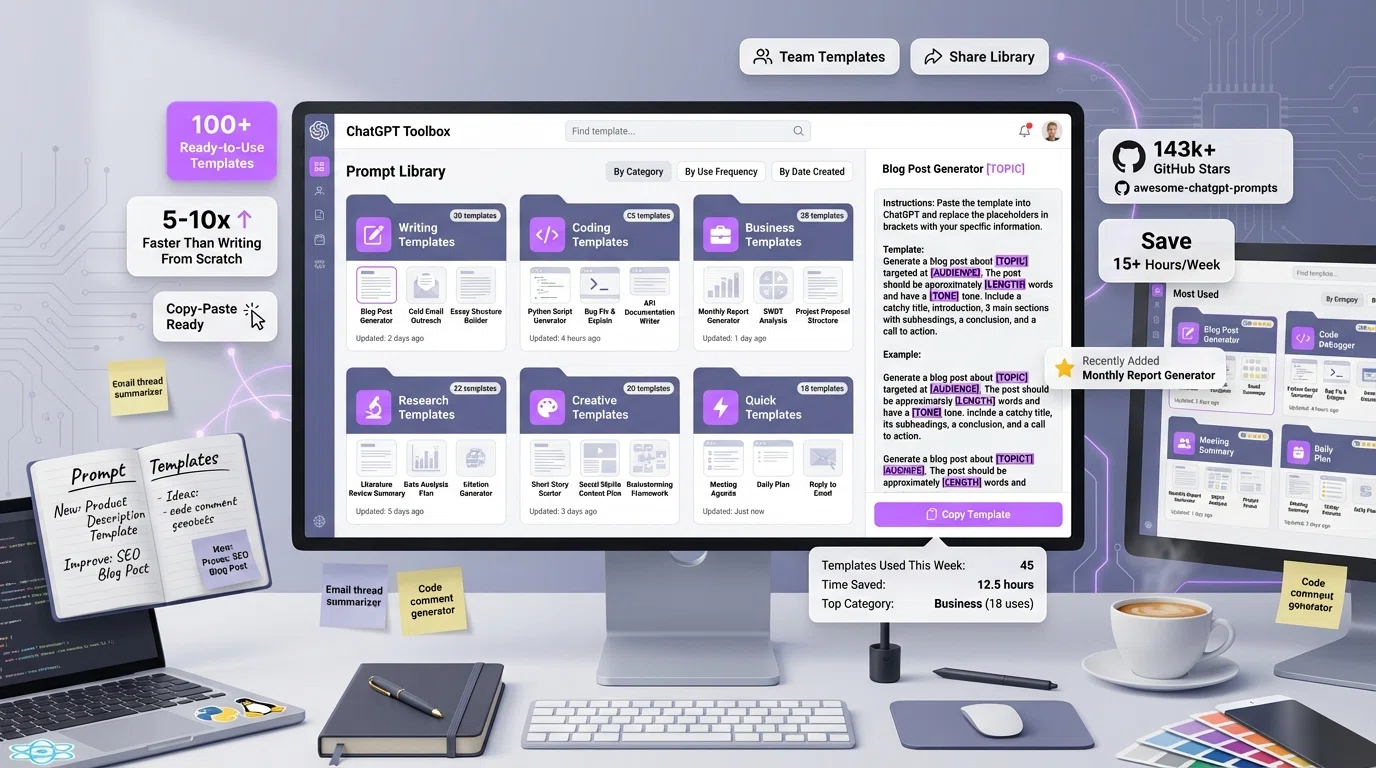 This comprehensive guide provides 100+ copy-paste ready ChatGPT templates organized by category (writing, coding, business, research, creative), with instructions for customization and tips for building your own template library using ChatGPT Toolbox's Prompt Library feature.
What You'll Get in This Template Library
- 100+ copy-paste ready ChatGPT templates with customizable placeholders
- Templates organized by category: Writing, Coding, Business, Research, Creative
- Instructions for using and customizing each template type
- How to save templates in ChatGPT Toolbox for instant reuse
- Template best practices used by 143k+ GitHub community members
- Pro tips for building your personal template library
What Are ChatGPT Templates?
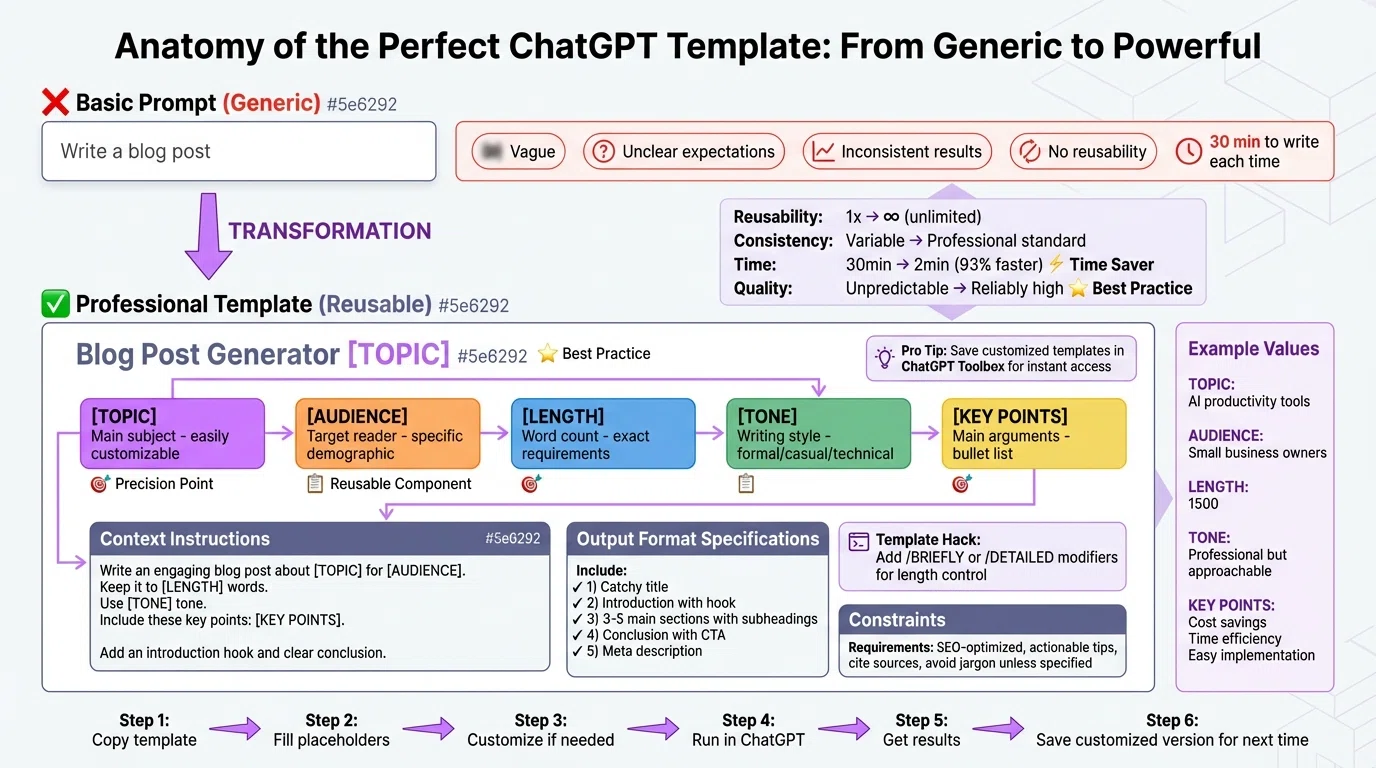
ChatGPT templates are reusable prompt structures with bracketed placeholders like [TOPIC], [AUDIENCE], or [LENGTH] that you customize for specific needs. Instead of writing "Write a blog post" (vague), you use a template like:
"Write a [LENGTH]-word blog post about [TOPIC] for [AUDIENCE]. Use [TONE] tone. Include: 1) Attention-grabbing introduction, 2) [NUMBER] main points with supporting evidence, 3) Practical examples, 4) Conclusion with clear call-to-action. Make it SEO-optimized with target keyword: [KEYWORD]."
Why templates work better than basic prompts:
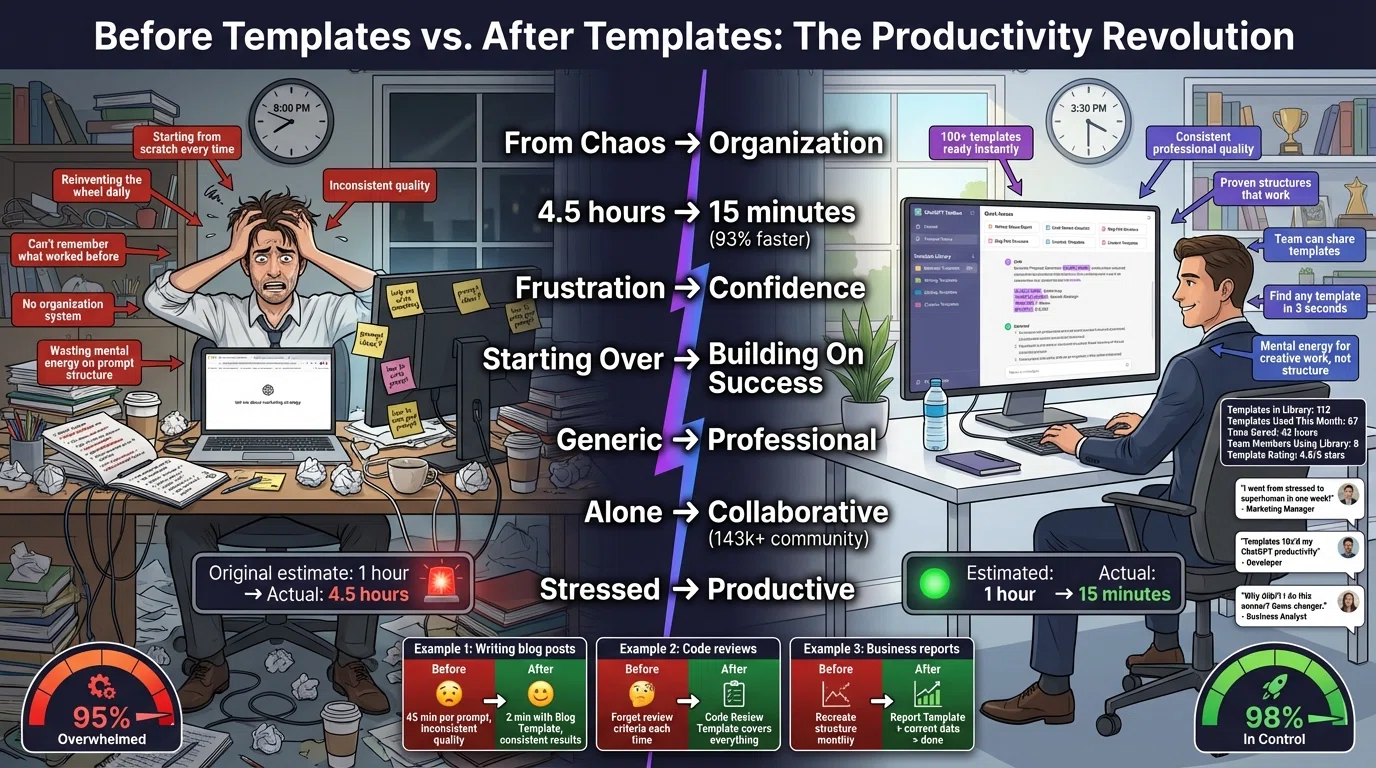
- Consistency: Get reliably high-quality results every time
- Speed: 5-10x faster than writing prompts from scratch
- Reusability: Use the same template hundreds of times with different details
- Best Practices: Templates encode proven prompt engineering techniques
- Collaboration: Share templates with team members for consistency
- Learning: Templates teach effective prompt structure
According to ChatGPT best practices, adding modifiers like /BRIEFLY, /TLDR, /ELI5, /STEP-BY-STEP, /CHECKLIST, and /ACT AS dramatically improves response quality by reducing guesswork.
1. Writing Templates (20+ Templates)
Writing templates cover blog posts, essays, emails, social media, and creative content. These templates ensure consistent quality and save hours on content creation.
Blog Post Templates
Write a comprehensive [LENGTH]-word blog post titled "[TITLE]" about [TOPIC] for [AUDIENCE]. Use [TONE] tone. Structure: 1) Hook introduction addressing [PAIN POINT], 2) Problem explanation with statistics, 3) [NUMBER] detailed solutions with examples, 4) Implementation steps, 5) Conclusion with CTA. Target keyword: [KEYWORD]. Include subheadings, bullet points for readability, and internal linking suggestions.
Create a "[NUMBER] [ADJECTIVE] Ways to [ACHIEVE GOAL]" listicle for [AUDIENCE]. Each item should include: 1) Clear subheading, 2) 2-3 sentence explanation, 3) Practical example or case study, 4) Pro tip or common mistake to avoid. Length: [LENGTH] words. Tone: [TONE]. Add engaging introduction and conclusion.
Write a detailed how-to guide: "How to [GOAL] in [TIMEFRAME]" for [AUDIENCE] at [SKILL LEVEL] level. Include: 1) Prerequisites needed, 2) Step-by-step instructions (number each step), 3) Screenshots or diagrams recommendations, 4) Common problems and solutions, 5) Next steps after completion. Keep technical terms at [COMPLEXITY] level. Length: [LENGTH] words.
Email Templates
Draft a professional email to [RECIPIENT] about [PURPOSE]. Context: [BACKGROUND]. Tone: [FORMAL/FRIENDLY/ASSERTIVE]. Include: 1) Appropriate greeting, 2) Clear purpose statement in first sentence, 3) [2-3] main points with supporting details, 4) Specific call-to-action or next steps, 5) Professional closing. Length: [SHORT/MEDIUM/LONG - max 200 words recommended].
Write a compelling cold outreach email to [PROSPECT] for [PURPOSE: sales/partnership/collaboration]. Personalize with: [SPECIFIC DETAIL ABOUT PROSPECT]. Value proposition: [BENEFIT]. Structure: 1) Personalized opener (2 sentences), 2) Why I'm reaching out (1 sentence), 3) Value offer (2-3 sentences), 4) Soft CTA with low commitment ask. Keep under 150 words.
Social Media Templates
Create [NUMBER] social media posts about [TOPIC] for [PLATFORM: LinkedIn/Twitter/Instagram]. Audience: [TARGET AUDIENCE]. Each post should: 1) Start with attention-grabbing hook, 2) Provide value/insight/entertainment, 3) Include relevant hashtags ([NUMBER] hashtags), 4) End with engagement question or CTA. Tone: [PROFESSIONAL/CASUAL/HUMOROUS]. Length: [CHARACTER LIMIT for platform].
Creative Writing Templates
Write an engaging opening for a [GENRE] story featuring [CHARACTER TYPE] in [SETTING]. Hook: [OPENING SITUATION/CONFLICT]. Tone: [MOOD]. Include: 1) Vivid sensory details, 2) Character introduction showing personality through action, 3) Hints at larger conflict/mystery, 4) Compelling last line that makes readers want more. Length: [LENGTH] words.
2. Coding & Development Templates (25+ Templates)
According to developer productivity research, coding templates can 10x developer productivity in 2026. These templates cover code generation, debugging, documentation, and optimization.
Code Generation Templates
Write a [LANGUAGE] function that [FUNCTIONALITY]. Requirements: 1) Input: [INPUT PARAMETERS with types], 2) Output: [RETURN TYPE and description], 3) Handle edge cases: [LIST EDGE CASES], 4) Optimize for [PERFORMANCE/READABILITY]. Include: Detailed comments explaining logic, Example usage with test cases, Time/space complexity analysis. Style: Follow [STYLE GUIDE] conventions.
Implement [ALGORITHM NAME] in [LANGUAGE] to solve [PROBLEM]. Constraints: [TIME/SPACE CONSTRAINTS]. Include: 1) Clear variable naming, 2) Step-by-step comments for each major section, 3) Handle corner cases, 4) 3-5 test cases with expected outputs, 5) Explain time and space complexity. Use [DATA STRUCTURES] if helpful.
Code Review & Debugging Templates
Review this [LANGUAGE] code for [FUNCTIONALITY]: [PASTE CODE]. Evaluate: 1) Correctness: Does it work as intended? 2) Performance: Any optimization opportunities? 3) Readability: Is it clear and maintainable? 4) Best Practices: Follows [STYLE GUIDE]? 5) Security: Any vulnerabilities? 6) Edge Cases: What's not handled? Provide specific improvement suggestions with code examples.
Debug this [LANGUAGE] code. Issue: [DESCRIBE BUG BEHAVIOR]. Expected: [EXPECTED BEHAVIOR]. Code: [PASTE CODE]. Error message: [ERROR IF ANY]. Help me: 1) Identify the root cause, 2) Explain why it's happening, 3) Provide corrected code with changes highlighted, 4) Suggest how to prevent similar bugs, 5) Recommend testing approach.
Documentation Templates
Generate comprehensive documentation for this [LANGUAGE] function: [PASTE FUNCTION]. Create: 1) Clear description of what it does, 2) Parameter documentation (name, type, description for each), 3) Return value documentation (type, description), 4) Usage example with context, 5) Common pitfalls or important notes, 6) Related functions/methods. Format: [DOCSTRING STYLE: JSDoc/Sphinx/JavaDoc].
Create API documentation for [ENDPOINT]. Method: [GET/POST/PUT/DELETE]. Path: [URL PATH]. Purpose: [WHAT IT DOES]. Include: 1) Endpoint description, 2) Required authentication, 3) Request parameters (path/query/body), 4) Request example with curl and code, 5) Response format (success/error), 6) Status codes and meanings, 7) Rate limiting info. Format as [OPENAPI/README/POSTMAN].
Testing Templates
Generate unit tests for this [LANGUAGE] function: [PASTE FUNCTION]. Use [TESTING FRAMEWORK]. Create tests for: 1) Happy path (expected inputs), 2) Edge cases: [LIST SPECIFIC EDGE CASES], 3) Invalid inputs, 4) Boundary conditions, 5) Error handling. Each test should have: Clear test name describing what's being tested, Arrange-Act-Assert structure, Explanation comment for complex tests. Aim for [COVERAGE]% coverage.
3. Business & Professional Templates (25+ Templates)
Professional templates for reports, analysis, strategy, and decision-making. Used by Fortune 500 companies and referenced in professional prompt collections.
Report Templates
Create a [REPORT TYPE: quarterly/annual/project] report for [DEPARTMENT/PROJECT]. Period: [TIMEFRAME]. Include: 1) Executive summary (3-5 key points), 2) Performance metrics vs. targets (use specific numbers), 3) [NUMBER] major accomplishments with impact, 4) Challenges faced and resolutions, 5) Key learnings, 6) [NEXT PERIOD] priorities and targets, 7) Resource requirements. Tone: [FORMAL/CONVERSATIONAL]. Audience: [EXECUTIVES/TEAM/STAKEHOLDERS]. Length: [LENGTH] words.
Analyze this data: [PASTE DATA or DESCRIBE DATASET]. Focus: [ANALYSIS GOAL]. Provide: 1) Data summary and key statistics, 2) [NUMBER] most important findings, 3) Trends or patterns identified, 4) Correlations or anomalies, 5) Business implications for each finding, 6) Actionable recommendations based on data, 7) Visualization suggestions. Present findings in order of business impact. Format with clear headings and bullet points.
Strategy Templates
Conduct a comprehensive SWOT analysis for [COMPANY/PRODUCT/INITIATIVE]. Context: [BACKGROUND INFORMATION]. For each quadrant: 1) Strengths: Internal advantages (list 5-7 specific strengths), 2) Weaknesses: Internal limitations (list 5-7 weaknesses), 3) Opportunities: External possibilities (list 5-7 opportunities), 4) Threats: External risks (list 5-7 threats). Then provide: Strategic recommendations based on SWOT, Priority actions (top 3), Risk mitigation strategies.
Write the [SECTION: Executive Summary/Market Analysis/Financial Projections/etc.] section for a business plan. Business: [BUSINESS DESCRIPTION]. Industry: [INDUSTRY]. Target market: [MARKET]. Include: [SECTION-SPECIFIC REQUIREMENTS]. Tone: Professional and compelling for [INVESTORS/LENDERS/PARTNERS]. Support claims with [DATA/RESEARCH/PROJECTIONS]. Length: [LENGTH] words.
Meeting Templates
Create a meeting agenda for [MEETING TYPE] with [ATTENDEES]. Duration: [TIME]. Objective: [MEETING GOAL]. Include: 1) Meeting details (date, time, location/link, attendees), 2) Objectives (specific outcomes desired), 3) Agenda items with time allocations (total should equal duration), 4) Pre-meeting preparation requirements, 5) Discussion questions for key topics, 6) Decision points that need resolution, 7) Materials/documents needed.
4. Research & Learning Templates (15+ Templates)
Research templates for literature reviews, summarization, analysis, and educational content.
Research Templates
Create a literature review on [RESEARCH TOPIC]. Focus: [SPECIFIC ASPECT]. Sources: [NUMBER] recent publications from [TIMEFRAME]. Structure: 1) Introduction to topic and research questions, 2) Methodology (how sources were selected), 3) Key themes in literature, 4) For each theme: synthesis of findings from multiple sources, 5) Gaps in current research, 6) Implications for [FIELD/PRACTICE], 7) Conclusion and future research directions. Format: [ACADEMIC STYLE]. Length: [LENGTH] words.
Summarize this research paper/article: [PASTE TEXT or PROVIDE LINK]. Create: 1) One-sentence summary of main finding, 2) Research question/hypothesis, 3) Methodology used (brief), 4) Key findings ([NUMBER] most important results), 5) Practical implications, 6) Limitations of study, 7) How it relates to [MY RESEARCH/WORK/FIELD]. Target audience: [AUDIENCE EXPERTISE LEVEL]. Length: [LENGTH] words.
Learning Templates
Explain [CONCEPT] to someone at [KNOWLEDGE LEVEL: beginner/intermediate/advanced] level. Context: [WHY THEY NEED TO KNOW THIS]. Include: 1) Simple definition (one sentence), 2) Why it matters (practical importance), 3) Detailed explanation with [ANALOGY/METAPHOR] for clarity, 4) [NUMBER] concrete examples from [DOMAIN], 5) Common misconceptions clarified, 6) How it connects to [RELATED CONCEPTS], 7) Practice questions to test understanding. Avoid jargon unless explaining technical term.
Create a comprehensive study guide for [SUBJECT/TOPIC]. Exam date: [DATE] (plan backwards from this). Content: [KEY TOPICS TO COVER]. Format: 1) Overview of all topics, 2) For each major topic: Key concepts explained, Important terms/definitions, Common questions/problems, Memory aids or mnemonics, 3) Practice questions ([DIFFICULTY] level), 4) [NUMBER]-week study schedule with daily topics, 5) Test-taking strategies for this subject. Style: Clear and concise for efficient studying.
5. Creative & Brainstorming Templates (15+ Templates)
Creative templates for ideation, content creation, storytelling, and innovation. According to creative prompt guides, structured brainstorming templates unlock breakthrough ideas.
Brainstorming Templates
Generate [NUMBER] creative ideas for [GOAL/PROJECT]. Context: [SITUATION/CONSTRAINTS]. For each idea: 1) Concept name, 2) Brief description (2-3 sentences), 3) Why it's unique, 4) Potential impact (high/medium/low), 5) Implementation difficulty (easy/moderate/hard), 6) Estimated resources needed. Categories: [SPECIFIC CATEGORIES if any]. Think outside the box—include at least [NUMBER] unconventional ideas. Rank top 3 by [CRITERIA: feasibility/impact/innovation].
Help me solve this problem: [DESCRIBE PROBLEM]. Current situation: [CONTEXT]. Constraints: [LIMITATIONS]. Use structured approach: 1) Reframe the problem from [NUMBER] different angles, 2) Root cause analysis (why is this happening?), 3) Generate [NUMBER] potential solutions (ranging from conventional to innovative), 4) Evaluate each solution: Pros, Cons, Resources needed, Timeline, Risks, 5) Recommend top [NUMBER] solutions with implementation steps, 6) Suggest how to test solutions before full commitment.
Content Creation Templates
Write a [LENGTH]-minute video script for [PLATFORM: YouTube/TikTok/Instagram/etc.] about [TOPIC]. Target audience: [AUDIENCE]. Structure: 1) HOOK (first 3-5 seconds to grab attention), 2) Introduction (what viewers will learn, why it matters), 3) Main content ([NUMBER] key points with transitions), 4) Visuals/B-roll suggestions for each section, 5) Call-to-action (subscribe, comment, link in bio), 6) Outro. Tone: [ENERGETIC/EDUCATIONAL/CONVERSATIONAL]. Include notes for [EDITING/MUSIC/GRAPHICS].
Plan a podcast episode on [TOPIC] for [AUDIENCE]. Episode type: [INTERVIEW/SOLO/PANEL]. Length: [DURATION]. Create: 1) Episode title and description (SEO-optimized), 2) Opening hook, 3) Segment breakdown with timing, 4) [NUMBER] discussion questions with sub-questions, 5) Key points to emphasize, 6) Potential tangents to avoid, 7) Closing and CTA, 8) Show notes outline, 9) Promotional social media post ideas.
How to Customize Templates for Your Needs
Customizing templates is simple with the 3-step process used by the 143k+ GitHub community:
Step 1: Copy the Template Structure
Select a template that matches your task. Copy the entire template including all instructions and placeholders.
Step 2: Replace Placeholders with Your Specifics
Replace every bracketed placeholder with your specific information:
- [TOPIC] → Your specific subject
- [AUDIENCE] → Your target readers/users
- [LENGTH] → Specific word/time count
- [TONE] → Desired writing style
- [LANGUAGE] → Programming language
- [GOAL] → Specific objective
Step 3: Add Additional Context (Optional)
Enhance templates by adding:
- Background information specific to your situation
- Examples of desired output
- Additional constraints or requirements
- Links to relevant documents or resources
Building Your Template Library with ChatGPT Toolbox
The real power of templates comes from building a personal library you can access instantly. ChatGPT Toolbox makes this effortless:
1. Organize Templates in Folders
Create a folder structure that matches your workflow:
- 📝 Daily Templates - Your most-used templates (emails, summaries, quick tasks)
- 💼 Business - Reports, analysis, meetings, strategy
- 💻 Coding - Code generation, debugging, documentation, testing
- ✍️ Writing - Blog posts, articles, social media, creative
- 🔬 Research - Analysis, summaries, literature reviews
- 🎨 Creative - Brainstorming, ideation, content creation
- 🧪 Experiments - New templates you're testing
2. Use the Prompt Library Feature
ChatGPT Toolbox's Prompt Library lets you:
- Save templates with descriptive names
- Add tags for easy searching (work, urgent, weekly, client)
- Pin your top 10 most-used templates
- Access any template with one click
- Share template folders with team members
- Export your template library for backup
3. Template Naming Best Practices
Use clear, searchable names with context:
- Good: "Blog-Post-SEO-[TOPIC]-[AUDIENCE]"
- Good: "Code-Review-[LANGUAGE]-Standards"
- Good: "Email-Client-Status-Update-[PROJECT]"
- Bad: "Template1", "Email thing", "Code stuff"
4. Maintain Your Library
Keep your template library effective:
- Review usage monthly—archive rarely-used templates
- Update templates when you discover improvements
- Document which templates work best for what situations
- Collect team feedback on shared templates
- Add new templates as you discover needs
Pro Tip: The average power user maintains 30-50 templates they use regularly, saving 10-15 hours per week compared to writing prompts from scratch every time.
Template Power Tips from the Community
These advanced tips come from the 143k+ developers, writers, and professionals in the awesome-chatgpt-prompts community:
1. Use Modifier Commands
Add these modifiers to any template for instant customization:
- /BRIEFLY - Get concise version
- /DETAILED - Get comprehensive version
- /ELI5 - Explain like I'm 5 (simple language)
- /STEP-BY-STEP - Break into numbered steps
- /CHECKLIST - Format as actionable checklist
- /TABLE - Present as comparison table
2. Role-Play Enhancement
Add "Act as a [EXPERT]" to templates for specialized perspective:
- "Act as a senior software engineer..." for code reviews
- "Act as a content marketing strategist..." for content plans
- "Act as a [SUBJECT] professor..." for educational content
3. Chain Templates Together
Use output from one template as input for another:
- Brainstorm Template → Generate 10 ideas
- Evaluation Template → Rank ideas by criteria
- Implementation Template → Plan execution for top idea
4. Create Meta-Templates
Build templates that generate other templates for your specific needs:
"Create a ChatGPT template for [TASK TYPE]. The template should include customizable placeholders for [LIST KEY VARIABLES]. Structure should follow: [DESIRED STRUCTURE]. Target audience: [AUDIENCE]. Example use case: [EXAMPLE]."
Frequently Asked Questions
What are ChatGPT templates and how do they work?
ChatGPT templates are pre-written, copy-paste ready prompts with bracketed placeholders ([TOPIC], [AUDIENCE], [LENGTH]) that you customize for your specific needs. Templates save time by providing proven prompt structures for common tasks like writing, coding, business analysis, research, and creative work. According to GitHub's awesome-chatgpt-prompts library with 143,000+ stars, templates are 5-10x faster than writing prompts from scratch because they encode best practices, ensure consistent quality, and eliminate guesswork. You simply copy a template, replace the placeholders with your details (like changing [TOPIC] to "social media marketing"), and paste into ChatGPT for professional results every time.
Where can I find ready-made ChatGPT prompt templates?
The best ChatGPT template sources in 2026 include: 1) GitHub awesome-chatgpt-prompts (143k+ stars, largest open-source library with hundreds of templates), 2) OpenAI Academy Prompt Packs (official engineering-focused templates for system architecture, debugging, documentation), 3) ChatGPT Toolbox Prompt Library (save and organize your own custom templates), 4) Professional collections with 70+ business templates for marketing, finance, operations, and more, and 5) Developer repositories like PickleBoxer/dev-chatgpt-prompts with 100+ coding-specific templates. Most are free, open-source, and designed to work with any AI assistant. Templates are organized by category: writing, coding, business, research, and creative tasks.
How do I customize ChatGPT templates for my needs?
Customize ChatGPT templates in 3 simple steps: 1) Copy the base template with its structure and bracketed placeholders, 2) Replace each placeholder with your specific details ([TOPIC] → "AI productivity tools", [AUDIENCE] → "small business owners", [LENGTH] → "1500 words", [TONE] → "professional but friendly"), 3) Add optional context like background information, specific constraints, or examples of desired output. Pro tips: Save customized versions in ChatGPT Toolbox Prompt Library for instant reuse, add modifier commands like /BRIEFLY or /STEP-BY-STEP for format control, include role-play instructions ("Act as a [EXPERT]") for specialized perspectives, and chain templates together (brainstorm → evaluate → implement) for complex projects. Templates are designed as flexible starting points, not rigid formulas—customize as much or as little as needed.
What's the difference between prompts and templates?
A prompt is a one-time, specific instruction to ChatGPT (like "Write a blog post about AI in healthcare"), while a template is a reusable prompt structure with customizable placeholders that works for unlimited similar tasks. The key differences: Prompts are single-use and task-specific, templates are infinitely reusable with different details; Prompts take 5-10 minutes to write from scratch each time, templates take 30 seconds to customize; Prompts produce variable quality depending on how well you wrote them, templates ensure consistent professional results by encoding best practices; Prompts are hard to share and collaborate on, templates enable team standardization and knowledge sharing. Example: Prompt: "Write a blog post about marketing automation" vs. Template: "Write a [LENGTH]-word blog post about [TOPIC] for [AUDIENCE] using [TONE] tone. Include: [STRUCTURE]." Templates save 5-10x more time and ensure reliably high quality every single use.
Can I use ChatGPT templates for coding and development?
Yes, coding templates are among the most popular ChatGPT use cases, especially in 2026. According to developer research, coding templates can 10x programmer productivity. Developer template categories include: Code generation (specify language, functionality, constraints, edge cases), Code review and debugging (structured analysis checklist covering correctness, performance, security), Documentation generation (auto-create comments, README files, API docs with consistent formatting), Test case creation (unit tests, integration tests, edge cases following testing framework patterns), Code optimization (performance improvements, refactoring templates with before/after analysis), and Architecture design (system diagrams, database schemas, API specifications). Popular repositories like PickleBoxer/dev-chatgpt-prompts provide 100+ coding-specific templates used by thousands of developers daily. Templates ensure code follows best practices, handles edge cases, and includes proper documentation automatically.
How do I organize my ChatGPT template library?
Organize templates effectively with ChatGPT Toolbox using this proven system: 1) Create category folders (Writing, Coding, Business, Research, Creative, Daily Use), 2) Use descriptive naming with variables ("Email-Template-[PURPOSE]", "Code-Review-[LANGUAGE]", "Blog-Post-[TOPIC]"), 3) Pin your top 10 most-used templates for one-click access, 4) Add searchable tags (urgent, weekly, client, team), 5) Create a "Quick Templates" folder for daily essentials, 6) Maintain an "Experiments" folder for testing new templates before promoting to main library, 7) Export and backup your template library monthly. Pro organization tips: Document which templates work best in which situations, collect team feedback on shared templates, archive rarely-used templates quarterly, update templates when you discover improvements. The average power user maintains 30-50 templates they use regularly, organized by frequency of use (daily/weekly/monthly), saving 10-15 hours per week compared to writing prompts from scratch.
Are there professional-grade ChatGPT templates for business?
Yes, comprehensive professional business templates are widely available in 2026. According to professional collections, there are 70+ advanced business templates covering: Marketing (campaign planning, content calendars, social media strategies, SEO optimization), Customer Success (support response templates, onboarding sequences, retention strategies), Product Management (roadmaps, user stories, feature specifications, prioritization frameworks), Data Analysis (insights reports, visualization recommendations, trend analysis), Finance (forecasting models, budget analysis, financial projections), Legal (contract templates, policy drafting, compliance checklists), Operations (process documentation, workflow optimization, SOP creation), and Executive functions (strategic planning, decision frameworks, board presentations). Each professional template includes: specific use cases with examples, customization instructions for different scenarios, expected output samples, and pro tips from industry experts. These templates follow industry best practices, are used by Fortune 500 companies, and save professionals 15-20 hours per week on documentation and analysis tasks.
Start Building Your Template Library Today
You now have access to 100+ proven ChatGPT templates across every major use case. Here's your action plan:
- Choose 5 templates from this guide that match your most common tasks
- Customize them by replacing placeholders with your specific details
- Test each template in ChatGPT and refine if needed
- Install ChatGPT Toolbox to save your templates
- Organize into folders by category and usage frequency
- Add 2-3 new templates weekly as you discover needs
- Share with your team to standardize quality and save collective time
Remember: Templates aren't about limiting creativity—they're about freeing you from repetitive prompt writing so you can focus on the actual work. The 143k+ GitHub community members using templates aren't writing worse prompts; they're writing them 5-10x faster with consistently better results.
Build your professional template library in 3 steps:
1. Copy the 5-10 templates you'll use most from this guide
2. Install ChatGPT Toolbox (Free) →
3. Save your templates in organized folders for instant access
Join 143k+ professionals using templates to save 10-15 hours per week. Start building your library today.
Sources:
- GitHub: "awesome-chatgpt-prompts - 143k+ Stars"
- Medium: "The Best ChatGPT Prompts for 2026"
- Medium: "15 ChatGPT Prompts That Will 10x Your Developer Productivity"
- Ideal Inspiration: "70 Advanced ChatGPT Prompts for Professionals - Part 2 [2026]"
- OpenAI Academy: "Prompt Packs"
- GPTbot.io: "ChatGPT Prompts Library: 250+ Ready-to-Use Prompts"
- GitHub: "PickleBoxer/dev-chatgpt-prompts"
