
 Add to Chrome
 Add to Edge
 Adi Leviim
ChatGPT for Sales: How to Close More Deals with AI in 2026
Sales is a numbers game, but it's also a personalization game. In 2026, the most successful sales professionals aren't just working harder; they're working smarter with AI. Using ChatGPT for sales can help you automate outreach, handle objections, and research prospects faster than ever before.
But simply asking ChatGPT to "write a sales email" won't cut it. You need specific strategies, frameworks, and prompts to get results that actually convert. In this comprehensive guide, we'll show you how to leverage AI to fill your pipeline and close more deals, and how ChatGPT Toolbox can help you organize your winning scripts and manage your workflow.
Why Salespeople Need AI in 2026
The sales landscape has changed. Prospects are inundated with generic automated emails. To stand out, you need hyper-personalization at scale. AI allows you to:
- Research accounts in seconds instead of hours.
- Draft personalized emails that reference specific company news.
- Roleplay difficult negotiations before the actual call.
- Summarize long calls to extract action items and buying signals.
1. Prospecting and Lead Research
Before you reach out, you need to know who you're talking to. ChatGPT can act as your dedicated research analyst. It can analyze a company's website text (if you paste it), summarize their recent news, or help you brainstorm pain points for a specific industry.
Instead of spending 20 minutes reading an annual report, paste the key sections into ChatGPT and ask for a summary of their strategic goals for the year. This gives you ammunition for a "point of view" email that resonates with decision-makers.
Try this prompt for industry research:
"I am selling a CRM software to small real estate agencies. What are the top 5 pain points they face in 2026 regarding client management? For each pain point, suggest a hook I can use in a cold email."2. Writing High-Converting Cold Emails
Generic templates go straight to the trash. Use ChatGPT to create personalized variations of your outreach scripts based on the prospect's role or industry. You can ask it to rewrite your value proposition for a CFO (focusing on ROI) vs. a CTO (focusing on security).
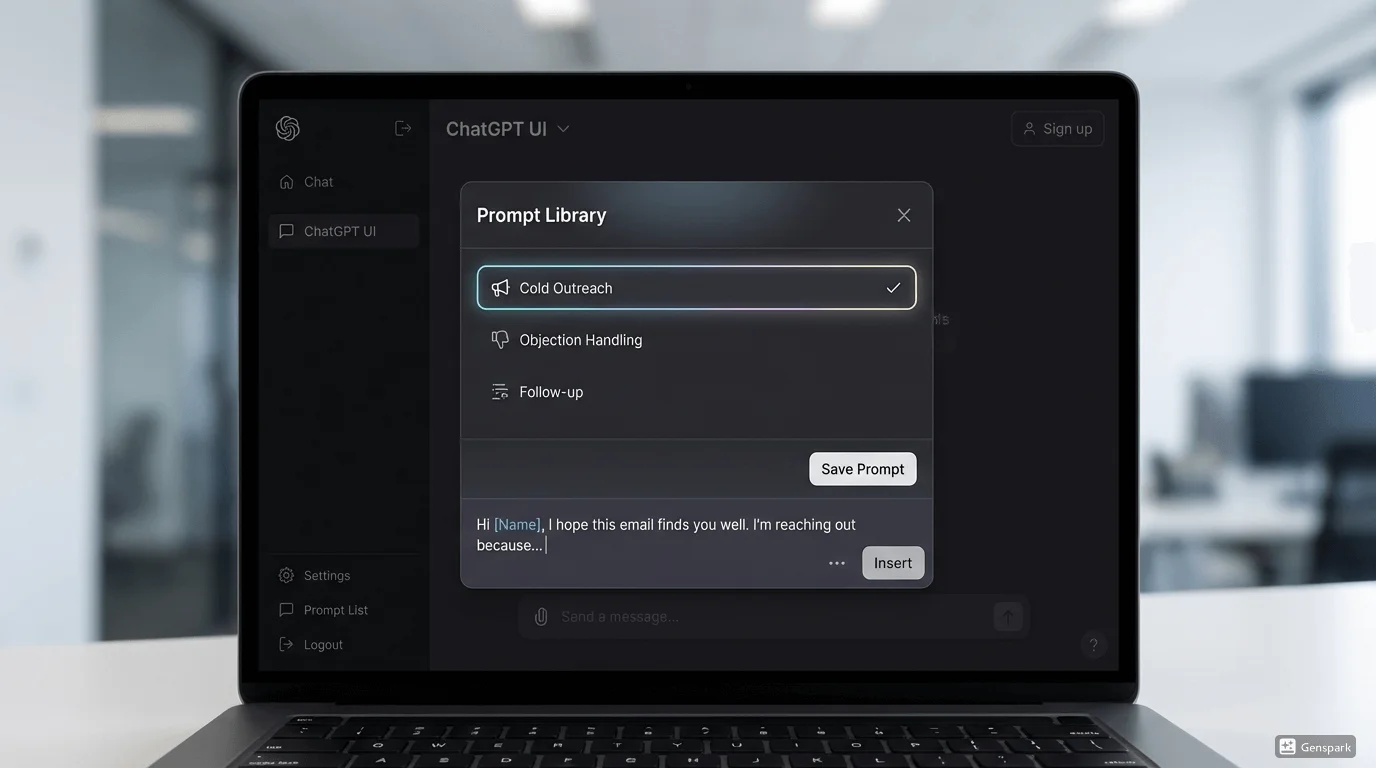
Pro Tip: Use the Prompt Library in ChatGPT Toolbox to save your best email templates. You can use variables like {{Company Name}} or {{Name}} to quickly customize them for each lead without rewriting the prompt every time.
3. Handling Objections
Every salesperson faces rejection. The key is how you handle it. You can roleplay with ChatGPT to practice your responses to common objections like "It's too expensive," "We're happy with our current vendor," or "Call me next quarter."
Treat ChatGPT as a sparring partner. Ask it to be a tough prospect and see if you can turn the conversation around.
Roleplay Prompt:
"Act as a skeptical CTO of a mid-sized tech company. I am trying to sell you a cybersecurity solution. I will present my pitch, and you will give me a hard objection. Then, critique my response and suggest a better way to handle it using the 'Feel, Felt, Found' framework."4. Organizing Your Sales Workflow
As a sales pro, you're juggling dozens of conversations. Keeping your ChatGPT workspace organized is crucial so you don't lose track of client research, drafted emails, or negotiation strategies.
This is where ChatGPT Toolbox shines. You can create Folders for different clients, industries, or sales stages (e.g., "Prospecting," "Negotiation," "Closed Won").
| Feature | Benefit for Sales |
|---|---|
| Folders | Keep research for "Client A" separate from "Client B". |
| Search | Instantly find that objection handling script you wrote last month. |
| Bulk Archive | Clear out old brainstorming sessions to keep your focus sharp. |
| Prompt Library | Store your winning email templates and objection handlers. |

5. Analyzing Sales Calls
If you have transcripts of your sales calls (from tools like Gong or Chorus), paste them into ChatGPT (anonymized, of course) and ask for feedback. Ask it to identify moments where you lost the prospect's interest, missed a buying signal, or talked too much.
You can also ask it to extract the "Next Steps" and draft a follow-up email based on the conversation context.
Common Mistakes to Avoid
While AI is powerful, it's not perfect. Avoid these common pitfalls:
- Copy-pasting without editing: ChatGPT can sound robotic. Always add your own voice and flair.
- Trusting facts blindly: AI can hallucinate. Verify specific data points or news before sending them to a prospect.
- Over-automating: Don't let AI replace the human connection. Use it to facilitate relationships, not replace them.
Frequently Asked Questions
Can ChatGPT replace a sales development rep (SDR)?
No, but it can make an SDR 10x more efficient. It can handle the research and drafting, allowing the SDR to focus on calling and building relationships.
Is my data safe when using ChatGPT for sales?
Be careful not to paste sensitive client data (PII) into public AI models. Use anonymized data or enterprise versions of ChatGPT. Extensions like ChatGPT Toolbox do not store your chat data, adding an extra layer of privacy.
What is the best prompt for cold outreach?
The best prompt gives context. Instead of "Write a cold email," try: "Write a cold email to a VP of Marketing at a B2B SaaS company. Mention their recent funding round and pitch our video editing software as a way to scale their content production."
Conclusion
AI isn't replacing salespeople; it's empowering them. By integrating ChatGPT into your sales process, you can spend less time on admin and writing, and more time building relationships and closing deals.
To keep your AI sales assistant organized, download ChatGPT Toolbox. Save your best scripts, organize your client research, and close more deals in 2026.
